
Otter.ai alternatives for live help during calls, not just notes
The main Otter.ai alternatives sorted by what they do: notes after the call, notes without a bot, or live help while you talk.

Michał Włosik
· 5 min read
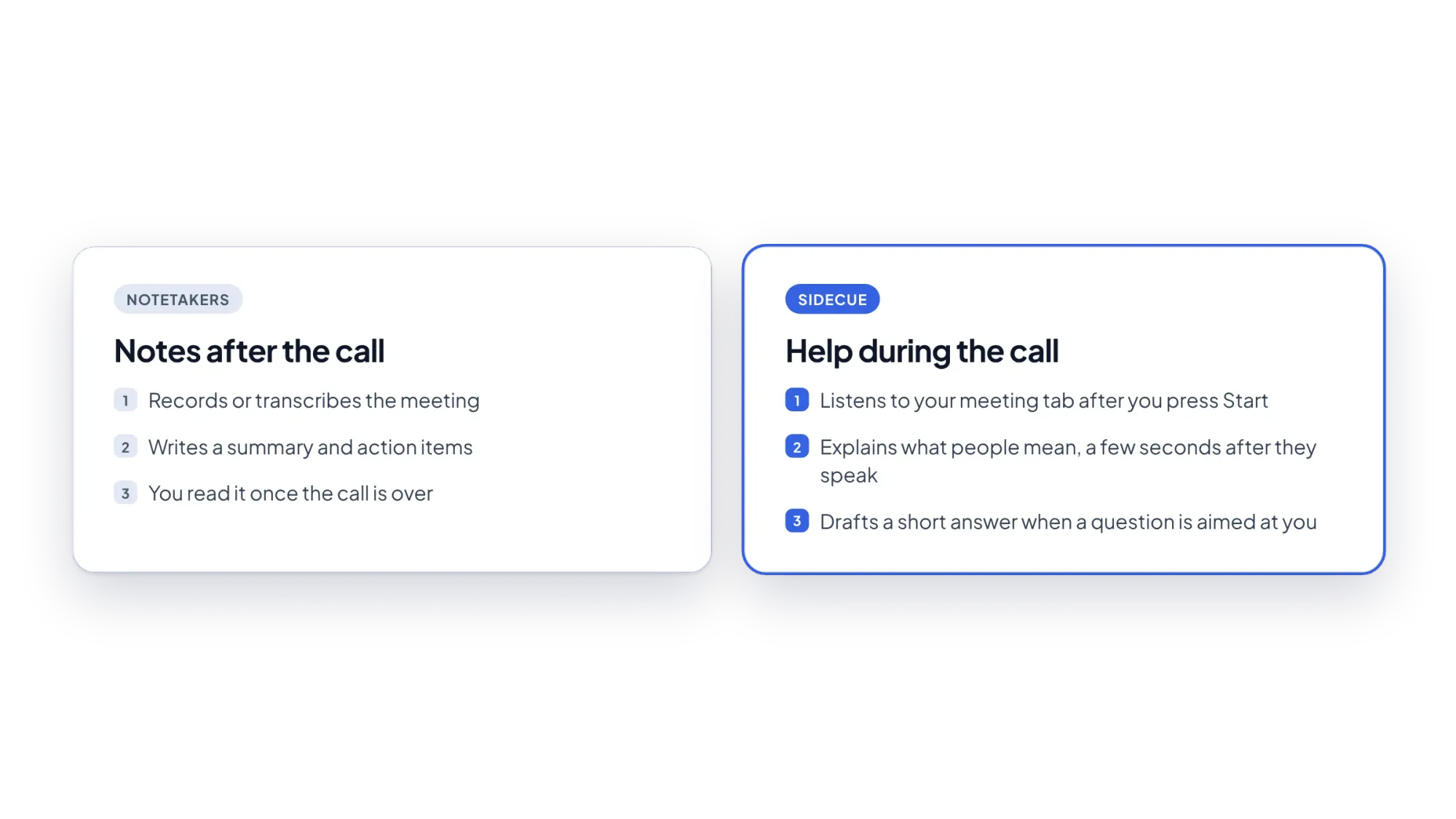
Otter.ai is one of the best-known AI notetakers. It transcribes your meetings and writes a summary, so you can stop typing notes. But a summary arrives when the call is over. If what you really need is help during the call, like understanding a fast speaker or answering a question on the spot, you need a different kind of tool.
This guide sorts the main Otter.ai alternatives by what they actually do, so you can pick the one that fits how you meet.
What Otter.ai does well
Otter records and transcribes meetings in Zoom, Microsoft Teams and Google Meet, shows a live transcript, writes summaries with action items, and lets you ask its AI chat questions about your meetings. At the time of writing (October 2026), its free Basic plan includes 300 transcription minutes a month per user, with a 30-minute limit per conversation. Paid plans start with Pro at $16.99 per user per month, or $8.33 per month billed annually.
If you want a searchable record of every call, Otter is a solid choice. People usually look for alternatives for one of three reasons:
- They don't want a bot in the call. Some clients don't like an extra participant recording them.
- They need more minutes or longer calls on a free plan.
- They need help in the moment, not a summary later.
Otter.ai alternatives at a glance
| Tool | How it captures the call | Best for | Helps you |
|---|---|---|---|
| Sidecue | Chrome extension, listens to your meeting tab after you press Start. No bot. | Second-language meetings, questions you must answer | During the call |
| Fireflies.ai | Notetaker that joins from your calendar, or a Chrome extension without a bot | Team notes, search, integrations | After the call |
| Fathom | Bot, or a bot-free mode (beta, Mac) | Free unlimited recordings | After the call |
| Granola | Your computer's audio. No bot. | Private notes you edit yourself | After the call |
| tl;dv | Bot, or a bot-free desktop app | Recordings and clips | After the call |
| Krisp | Works on your device's audio. No bot. | Noise cancellation plus notes | During (clean audio) and after (notes) |
1. Sidecue: help during the call
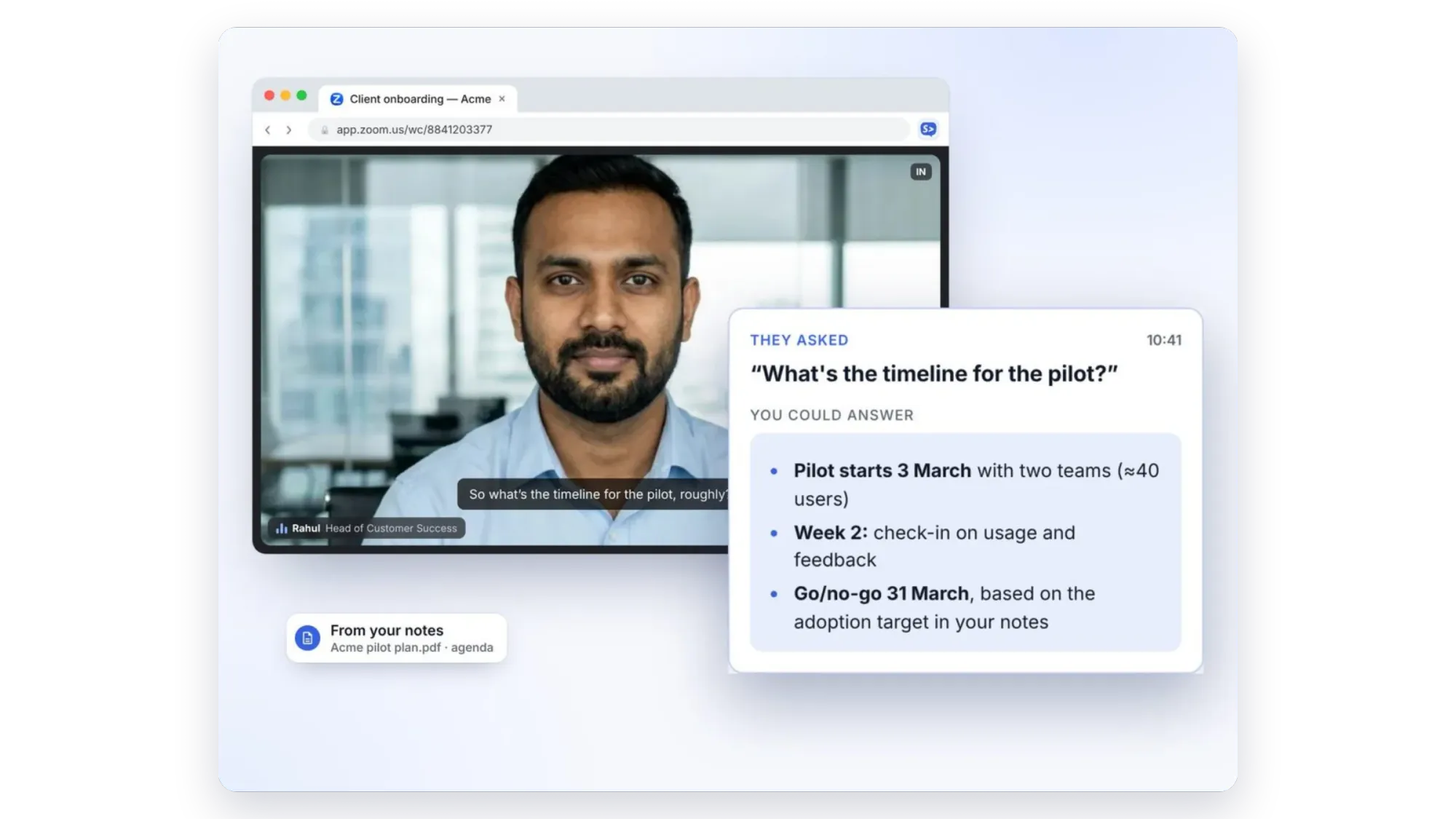
Sidecue is built for the moment notetakers miss. It's a Chrome extension that sits next to your meeting in Google Meet, or in Zoom and Teams in the browser. After you press Start, it listens to that one tab and shows cues a few seconds after people speak. No bot joins your call.
It has two coaches:
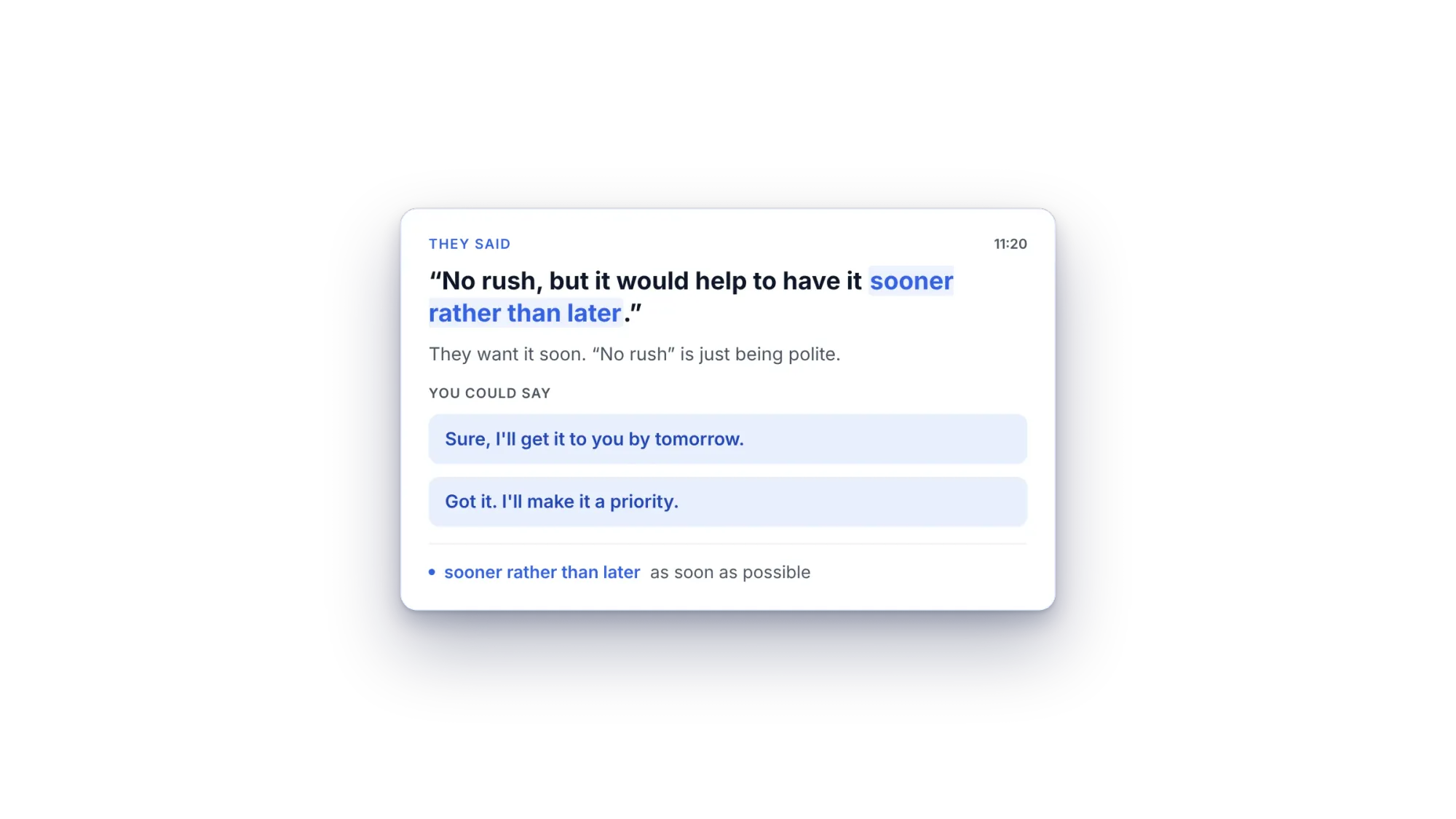
- Language coach shows the exact words people used, what they really meant, idioms explained at your level (A2 to C2), and phrases you could say back. You can read the explanations in more than 20 languages.
- Meeting coach spots questions aimed at you and drafts a short answer from your own notes, agenda and up to 5 files.
Good to know: Sidecue doesn't record the meeting or send a summary afterwards. It also needs Chrome, so Zoom and Teams calls run in a browser tab rather than the desktop apps. Many people use it together with a notetaker.
Plans: Free gives you 30 minutes of live cues a month. Pro is $19 a month or $99 a year for 10 hours a month, and Power is $29 a month for 25 hours. Paid plans start with a 7-day free trial.
2. Fireflies.ai: notes for the whole team
Fireflies is Otter's closest rival. It can join meetings from your calendar, transcribe them, write summaries and push notes to other tools. It also has a Chrome extension that captures meetings without a bot. At the time of writing, Fireflies lists a free plan, Pro at $10 per user per month billed annually ($18 monthly) and Business at $19 billed annually ($29 monthly). The free plan has limited storage per team. See our full guide to Fireflies.ai alternatives.
3. Fathom: generous free recordings
Fathom's free plan includes unlimited recordings and transcriptions, plus instant AI call summaries. You can choose a bot or a bot-free capture mode, which is in beta on Mac. It's a good fit if you mainly want free, reliable notes after each call.
4. Granola: private notes without a bot
Granola captures your computer's audio, so nobody sees a bot. You jot rough notes during the call and Granola turns them into clean notes and follow-ups afterwards. It runs on Mac and Windows with mobile apps. The free plan lets you keep taking notes, but you need to upgrade to work with notes older than 30 days.
5. tl;dv: recordings and clips
tl;dv records, transcribes and summarises Google Meet, Zoom and Teams calls. Besides its bot, it has a desktop app that records from your device, so no bot joins. It's handy when you want to share short clips of key moments.
6. Krisp: clean audio plus notes
Krisp started as noise cancellation and now adds transcripts, meeting notes and action items, all without a bot. It also offers real-time accent conversion. It improves the audio you hear and send, while Sidecue explains what was said and helps you reply.
How to choose
- You want a record of every meeting: Otter, Fireflies, Fathom or tl;dv.
- You don't want a bot in the call: Granola, Krisp, or the bot-free modes of tl;dv and Fathom.
- You struggle in the moment because the meeting isn't in your first language, or because people put you on the spot: Sidecue.
The tools don't exclude each other. A common setup is a notetaker for the record and Sidecue for the call itself. Before an important meeting, it also helps to run through a meeting preparation checklist and review the business idioms you're likely to hear.
Try live help in your next call
Add Sidecue to Chrome, then try it in a practice call before a real meeting. The free plan includes 30 minutes a month.
Add Sidecue to Chrome for free
FAQ
Is there a free Otter.ai alternative?
Yes. Fathom, Fireflies, tl;dv, Granola and Sidecue all have free plans, with different limits. Fathom's free plan includes unlimited recordings; Sidecue's free plan includes 30 minutes of live cues a month.
Which Otter.ai alternative works without a bot?
Sidecue, Granola and Krisp work without a bot. tl;dv and Fathom also offer bot-free capture through their desktop apps.
Does Sidecue replace a notetaker?
No. Sidecue helps you during the call; it doesn't record or summarise it. If you need meeting notes, use it together with a notetaker.
Can Sidecue help with meetings in another language?
Yes. That's what Language coach is for: it explains what people mean, including idioms and jargon, and suggests natural replies.
Written by
Questions or thoughts? Share them below.
Keep reading
The best AI meeting assistants in 2026, compared
AI meeting assistants do very different jobs. Here they are in four groups: notetakers that join the call, bot-free notetakers, assistants built into Meet, Zoom and Teams, and live help during the call.
Fireflies.ai alternatives: which one fits how you meet?
Fireflies.ai is a strong team notetaker. Here are the alternatives worth a look, grouped by how you actually meet: with a bot, without one, or with live help during the call.