
Never get caught without an answer.
Meeting coach spots the questions aimed at you and drafts a short, clear answer from your own notes, agenda and files, a few seconds after they're asked.

Works with:




Read cues where it suits you
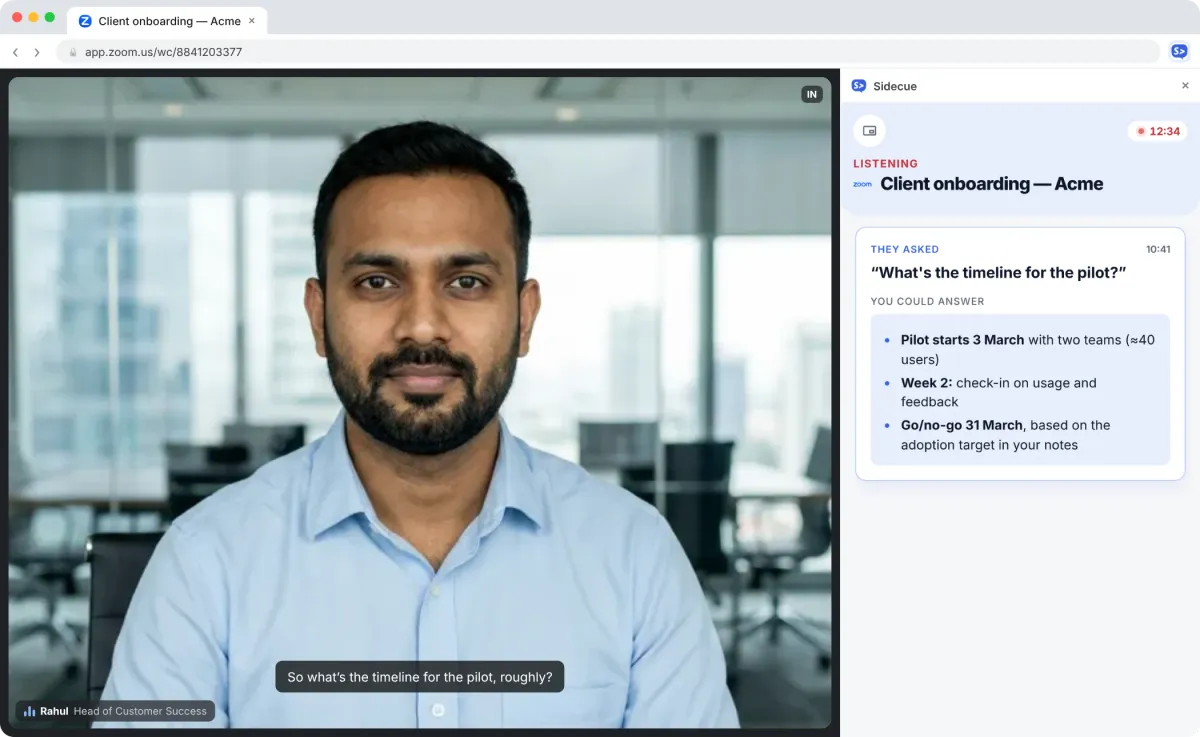
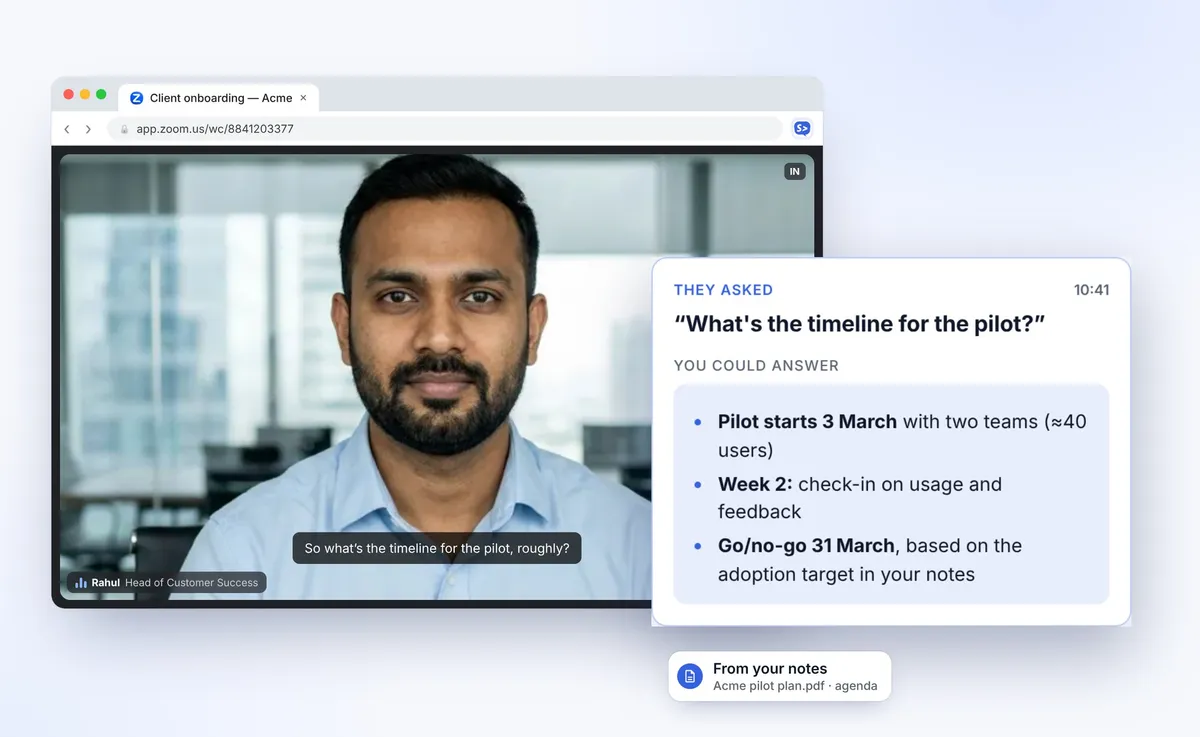
Every cue shows the question they asked and a ready answer, with the key facts in bold.
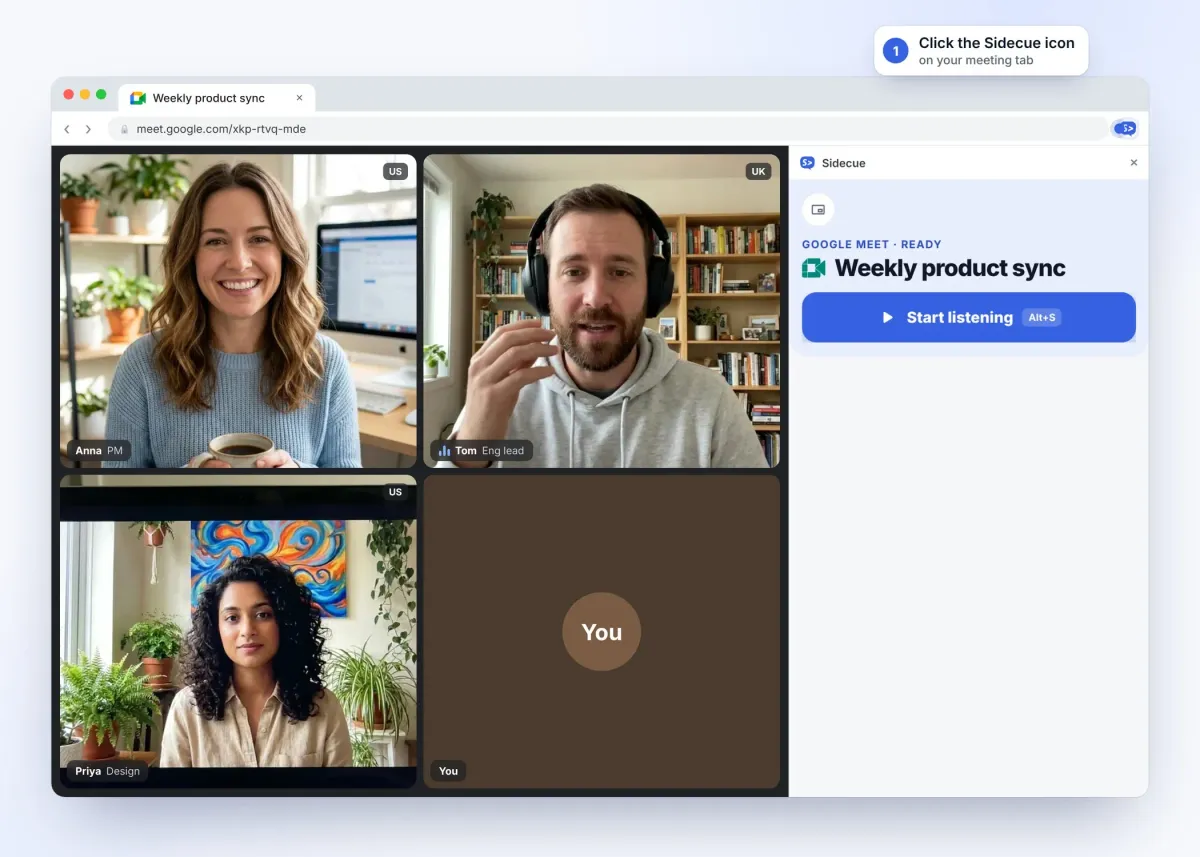
Side panel
A calm feed next to your call. Scroll back through earlier questions, open live captions, and pause any time.
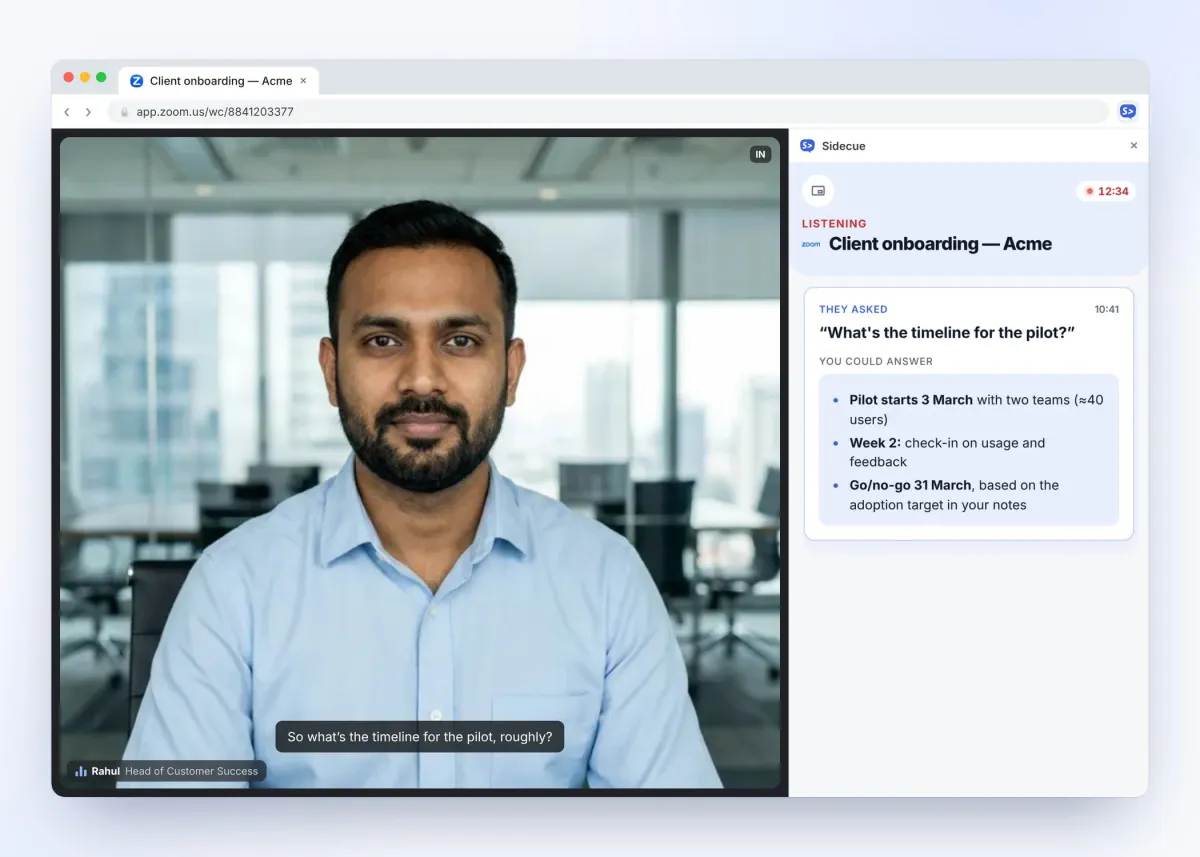
Overlay
A see-through card on top of the meeting, right where you're already looking. Drag it anywhere and keep eye contact.
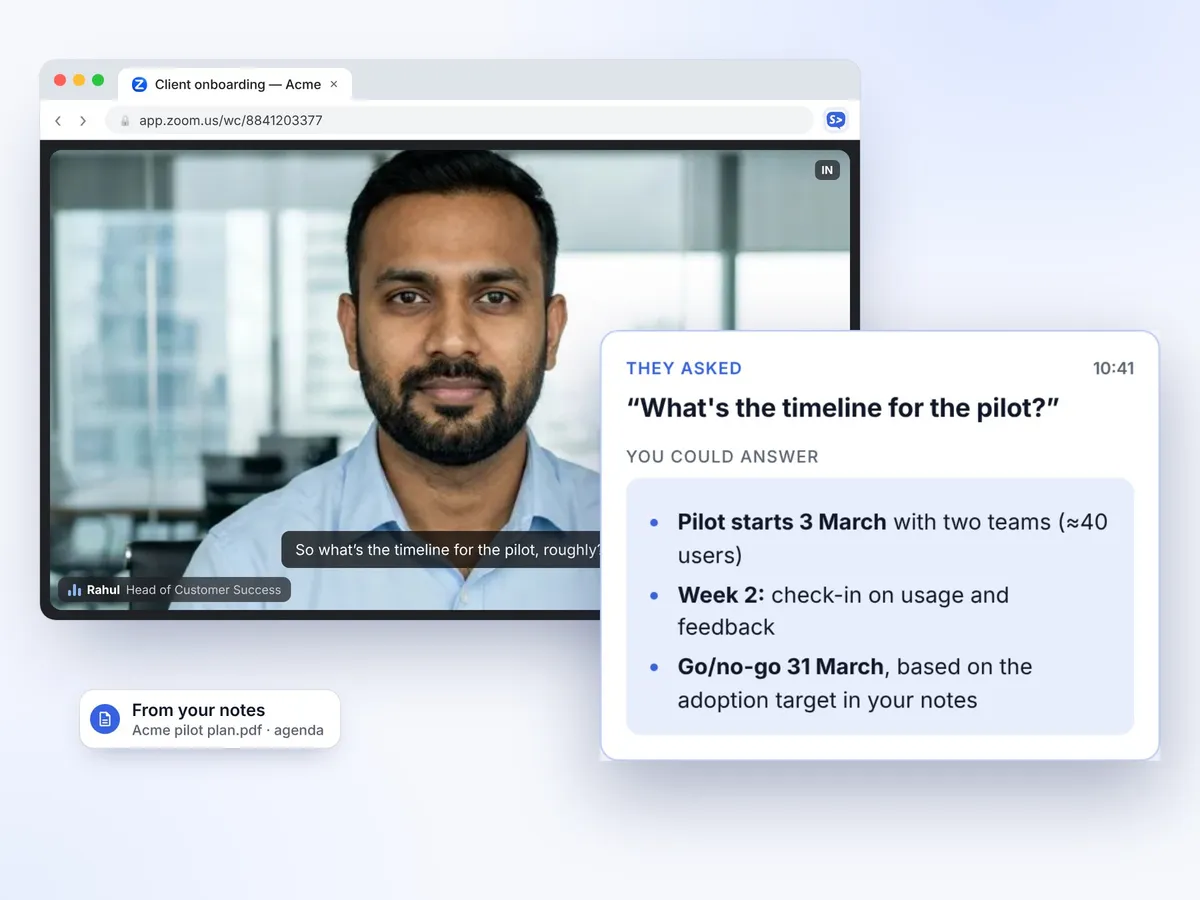
How Meeting coach works
No bot joins your call. Add your facts once, then answer with confidence.
Prepare in two minutes, not two hours
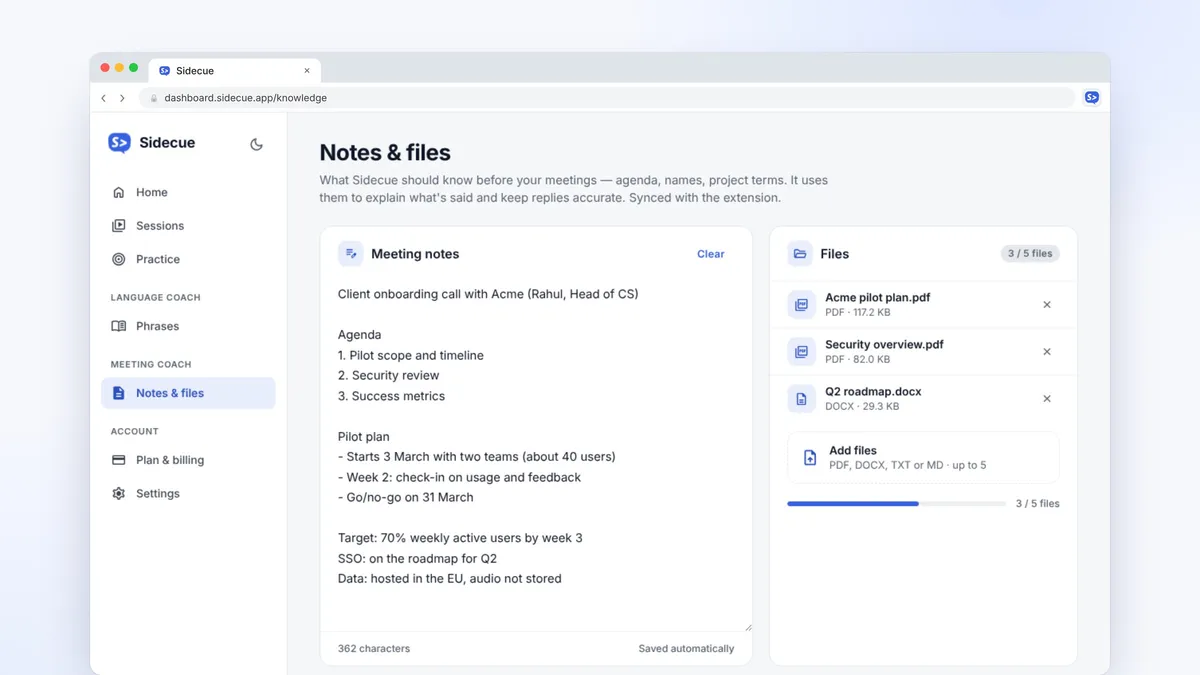
Your free dashboard keeps the facts Sidecue uses and lets you rehearse.
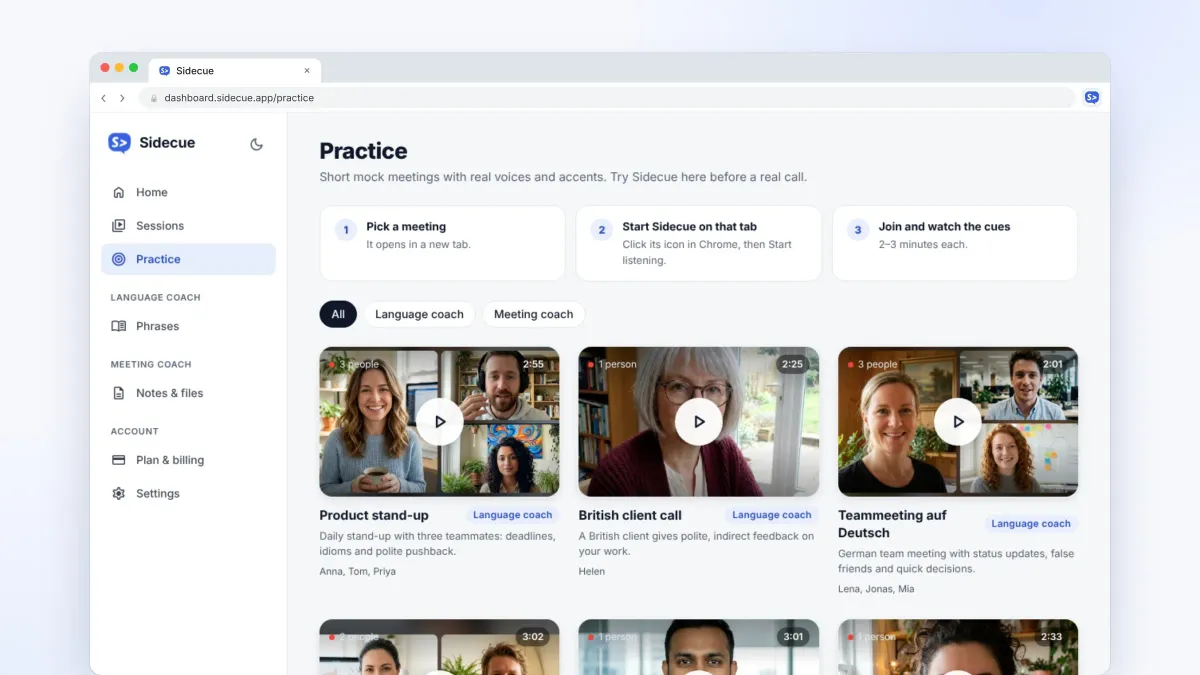
Practise before the real call
Join realistic mock meetings with real voices: client calls, project reviews and sales discovery. Get used to reading answers while you talk.
Answers that use your facts
Add an agenda, names, numbers or a PDF before the call. Turn on “Stick to my notes” and Sidecue won't make things up.
Built for calls that matter
Client calls, project reviews, status updates and sales conversations.
Only questions for you
Sidecue waits for questions aimed at you, so the feed stays quiet while others talk.
Grounded in your files
Answers use your notes, agenda and PDFs first. With “Stick to my notes” on, it says so when your notes don't cover something.
Short enough to read aloud
Two or three bullet points with the facts in bold. Glance, then answer in your own words.
Pricing
Start free. Upgrade when your calendar fills up.
Every plan includes both coaches and every feature. Pro and Power start with a 7-day free trial. Cancel anytime.
Free
Try Sidecue in a few real meetings.
Free foreverFree forever
Add to Chrome- 30 minutes a month
- Language coach and Meeting coach
- Practice calls and saved phrases
Pro
For daily stand-ups and client calls.
Billed monthlyBilled $99 yearly
Start 7-day free trial- 10 hours a month
- Everything in Free
- Priority processing
- Full session history
Power
For people in meetings most of the day.
Billed monthlyBilled $149 yearly
Start 7-day free trial- 25 hours a month
- Everything in Pro
- Priority at peak times
- Early access to new features
Questions, answered
Who is Meeting coach for?
Anyone who gets put on the spot in calls: account managers, consultants, founders, project leads and sales people.
What can I add to my notes?
Typed notes, an agenda, names and numbers, plus PDFs and text files. Add them in the dashboard under Notes & files before the call.
Does it join or record my call?
No. There's no bot. Sidecue runs in your own Chrome and listens only to the tab you choose after you press Start. Audio isn't stored or used to train AI models.
What if my notes don't have the answer?
With “Stick to my notes” on, Sidecue tells you the notes don't cover it instead of guessing. Turn it off to get a general suggested answer.
Can I use it in job interviews or exams?
No. Sidecue is for everyday work meetings and learning. Using it in job interviews, exams, tests or assessments isn't allowed.
Can't find what you're looking for? Contact our customer support team
Walk into your next meeting ready
Add Sidecue to Chrome and get 30 free minutes every month. No credit card needed, and it takes a minute to set up.