
Language coach
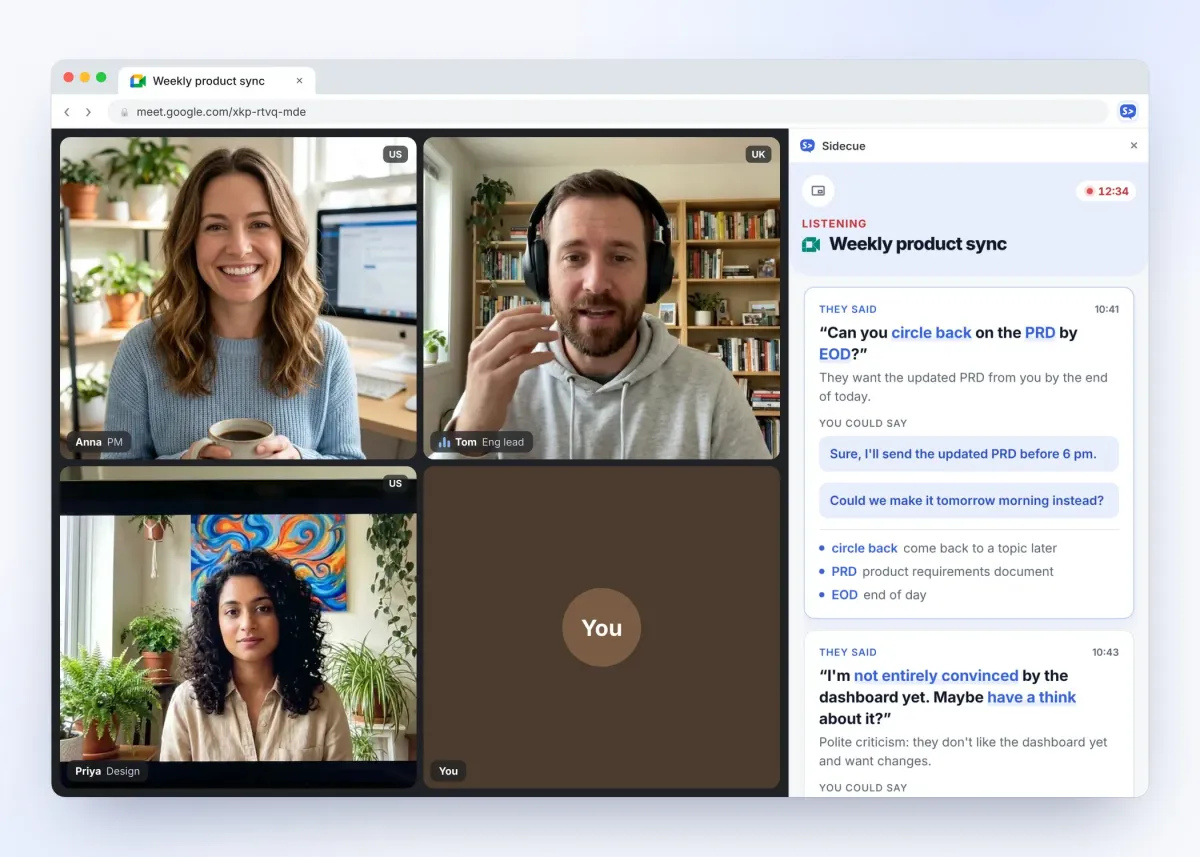
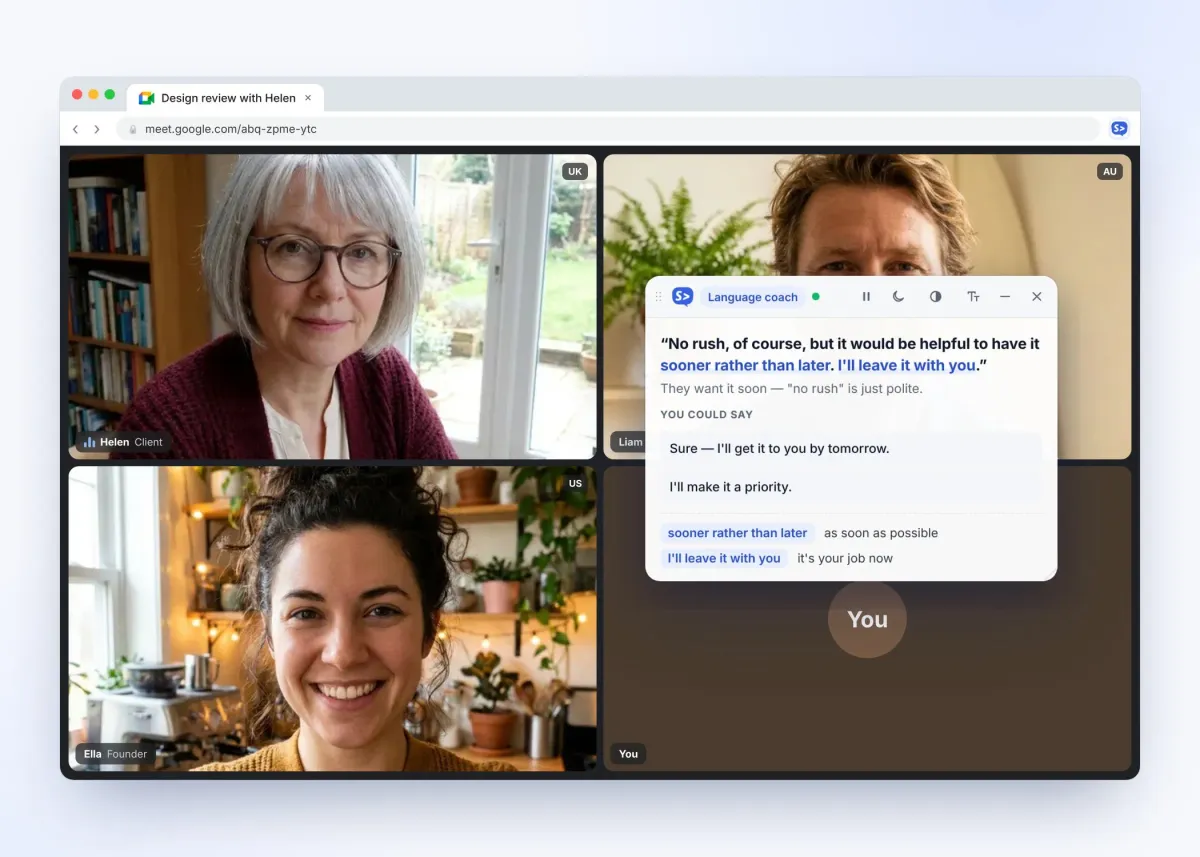
For meetings in your second language. See their exact words, what they really meant, idioms and jargon explained at your level, and phrases you could say back.
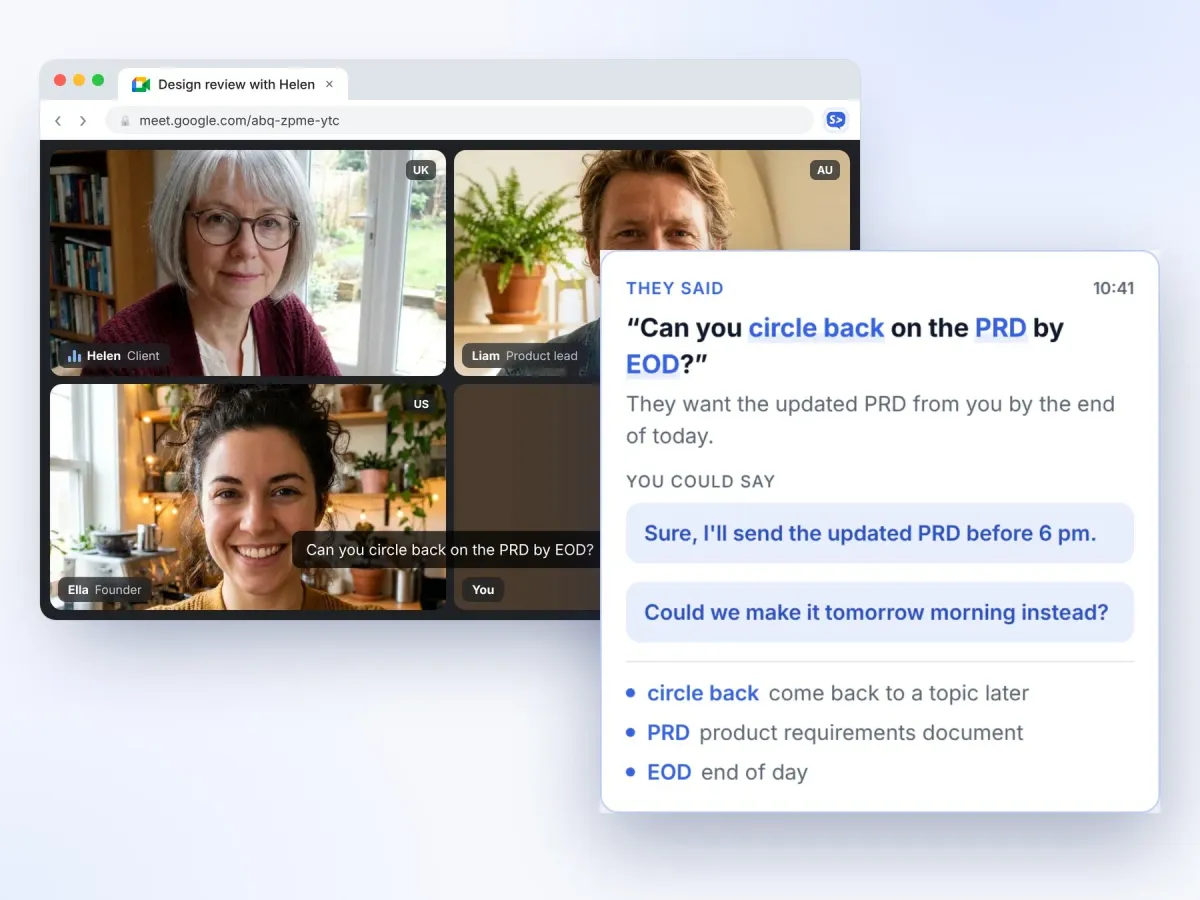
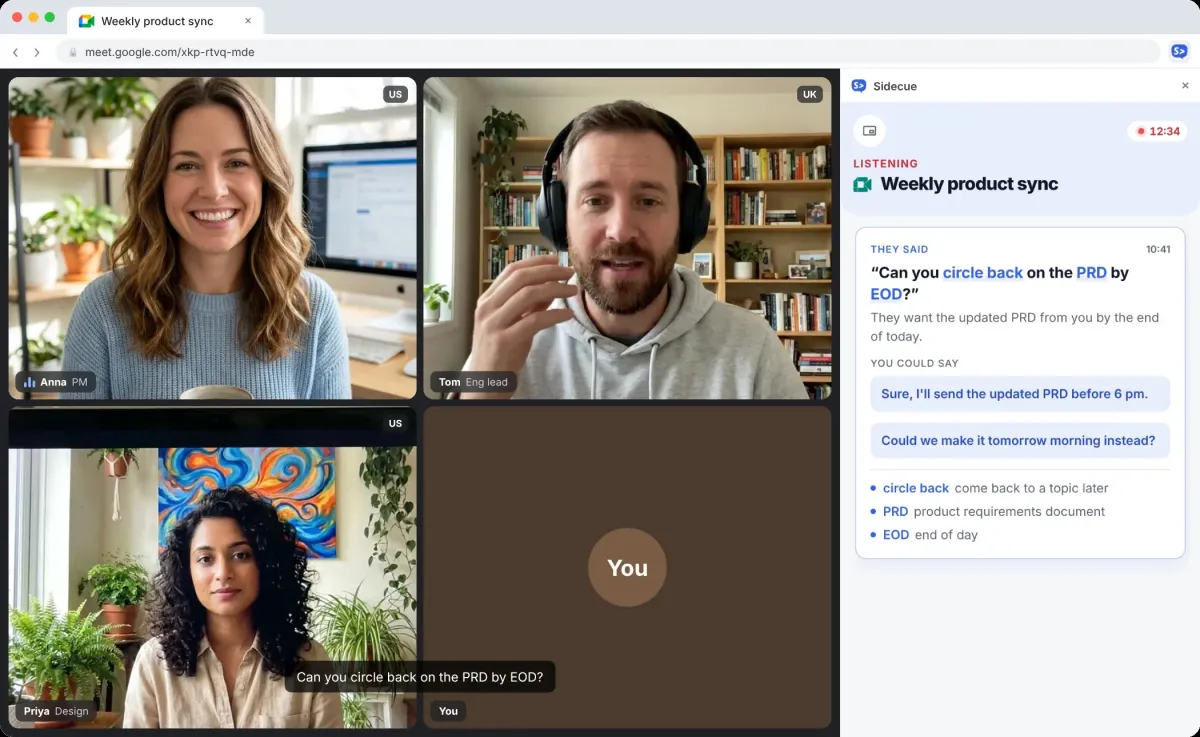
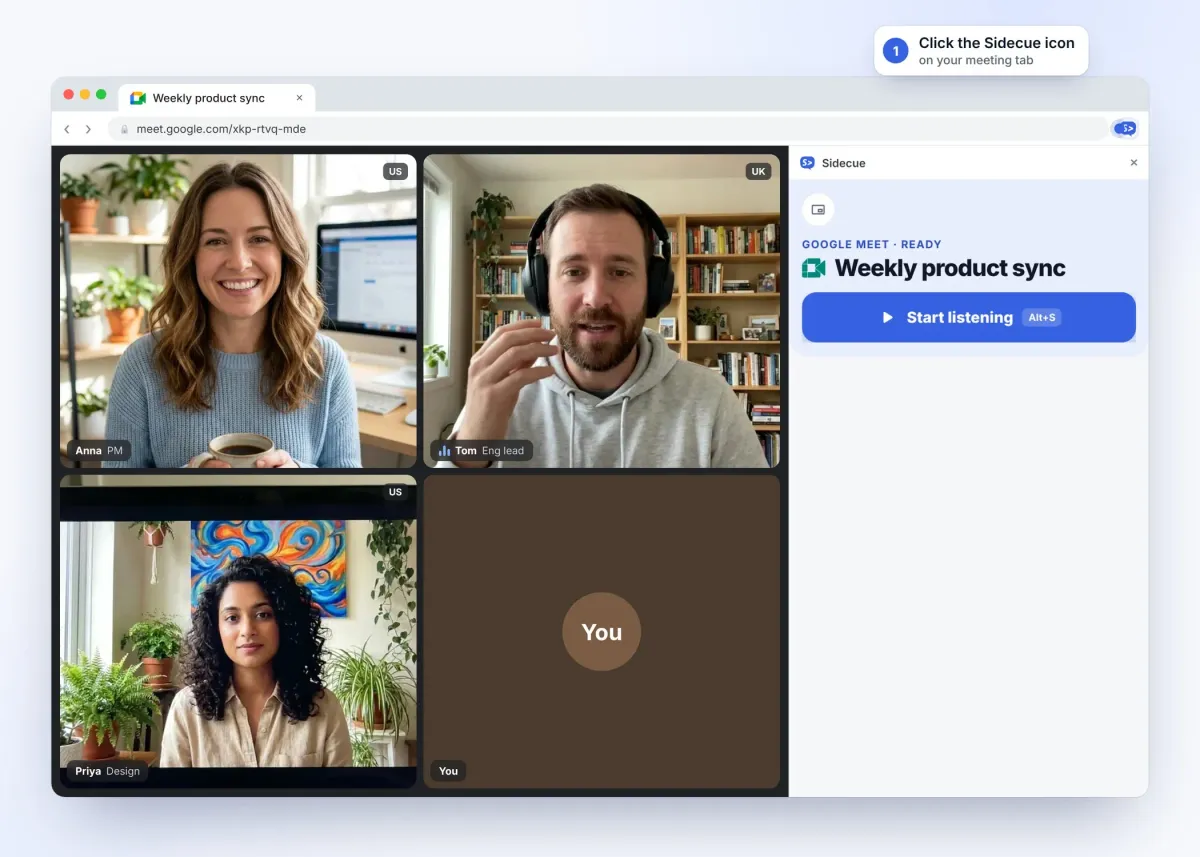
Sidecue listens to your video calls and shows live cues in Chrome: what people really meant, idioms explained, and ready answers from your notes. Built for people who work in a second language.

Works with:




Switch any time in Settings. Both run quietly next to your call.
For meetings in your second language. See their exact words, what they really meant, idioms and jargon explained at your level, and phrases you could say back.
For calls where you need answers fast. Sidecue spots questions aimed at you and drafts a short answer from your own notes, agenda and files.
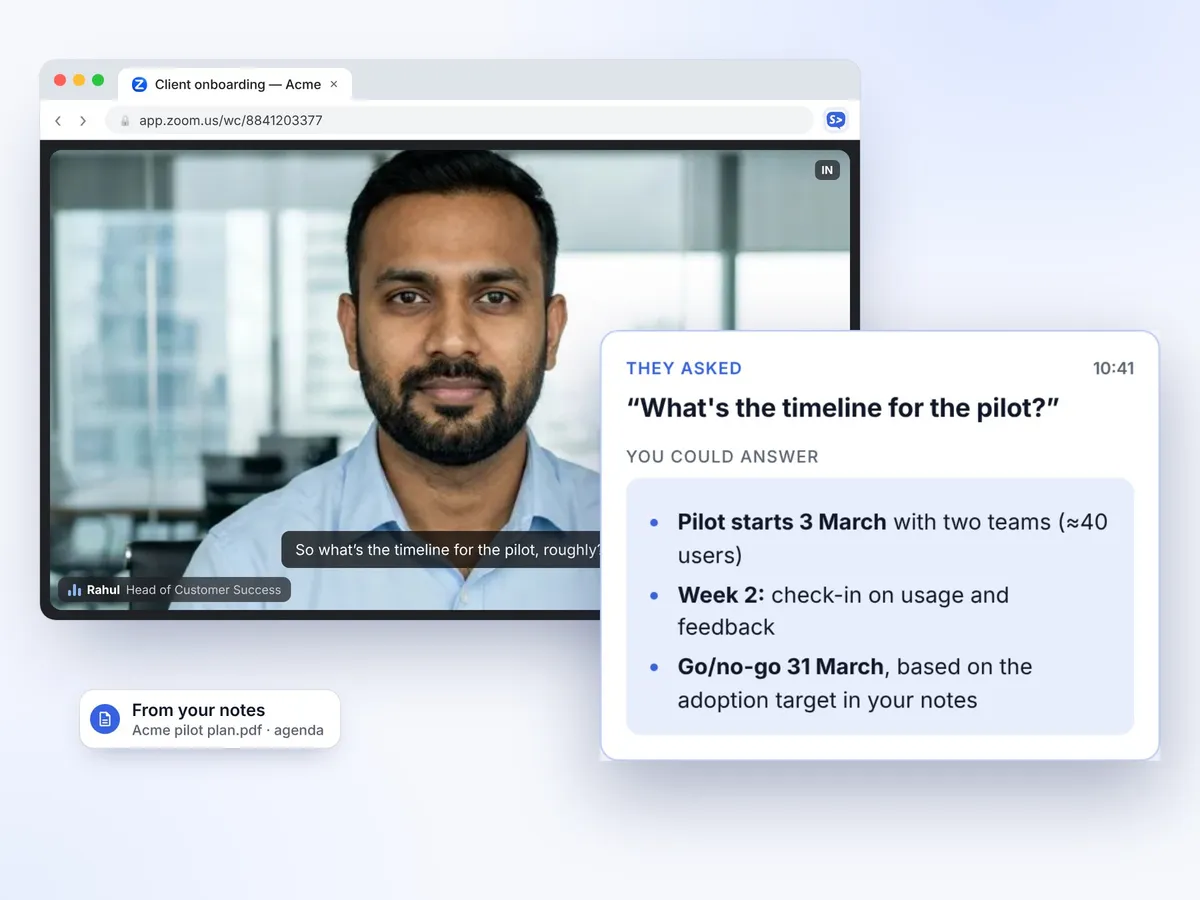
No bot joins your call and nothing else to install. Sidecue works inside Chrome, right next to your meeting.
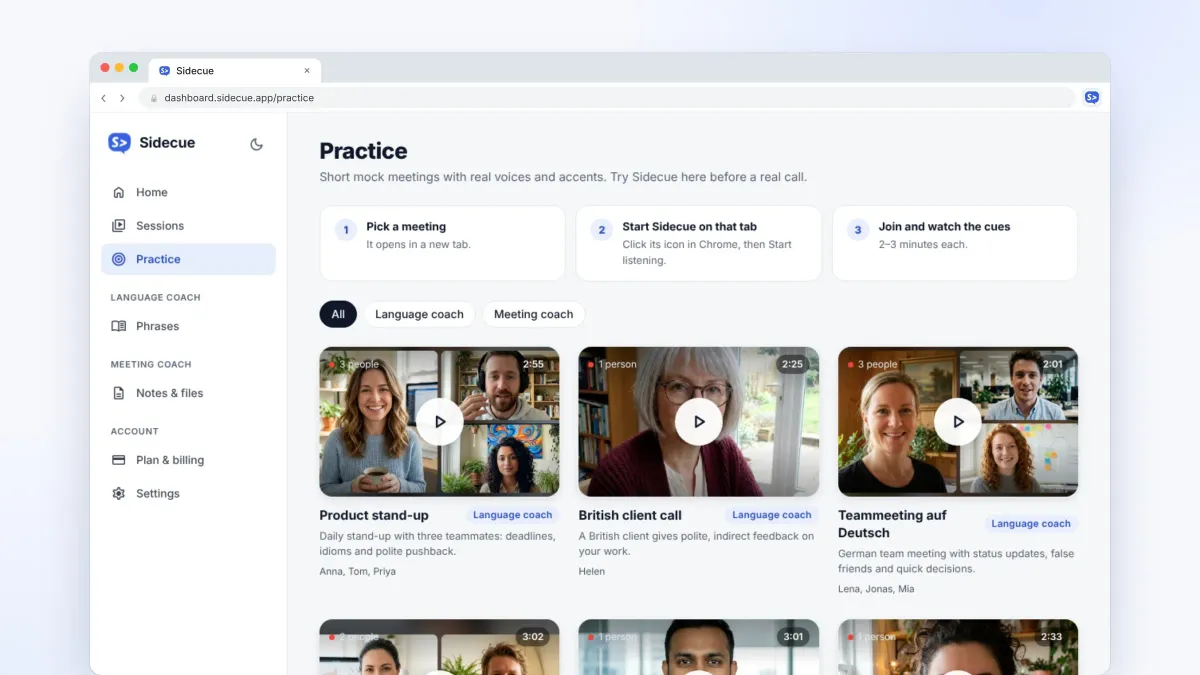
Your free dashboard turns every meeting into progress.
Join realistic mock meetings with real voices and accents: stand-ups, client calls, even a team meeting in German. Try Sidecue risk-free and get used to the pace.
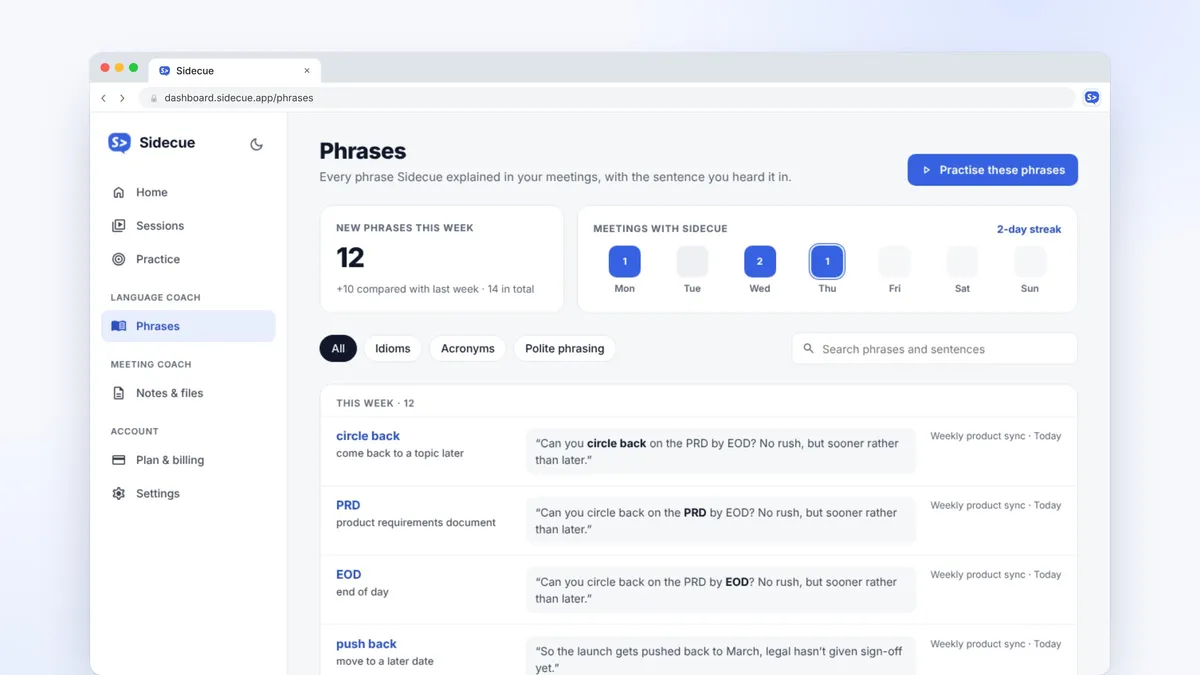
Idioms, acronyms and polite phrasing from your meetings land in one list, with the sentence you heard them in. Review them and they stick.
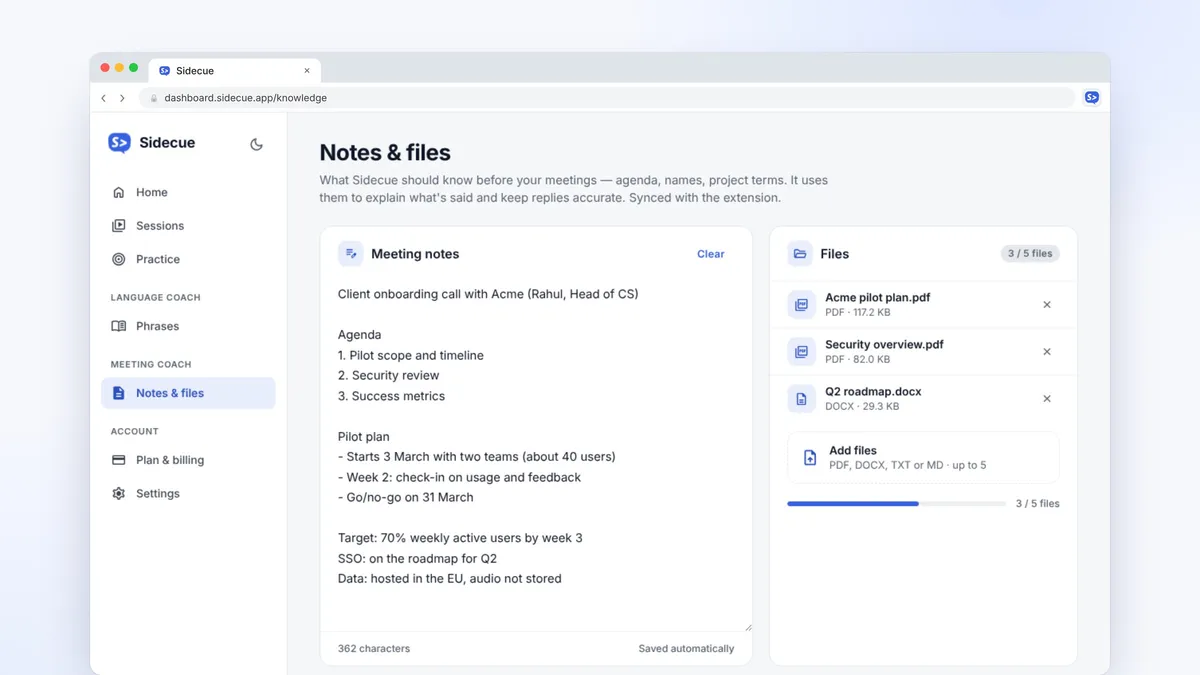
Add an agenda, names or a PDF before the call. Meeting coach draws on them, and “Stick to my notes” keeps it from making things up.
Small details that make Sidecue easy to trust and easy to use, call after call.
Short cues land seconds after someone speaks, with the key phrases highlighted. Live captions sit in their own tab.
Listens only after you press Start, only to the tab you choose. Audio is never stored or used to train AI models.
Set your level from A2 to C2, get explanations in your own language, and pick a casual, neutral or formal reply tone.
Pricing
Every plan includes both coaches and every feature. Pro and Power start with a 7-day free trial. Cancel anytime.
Try Sidecue in a few real meetings.
Free foreverFree forever
Add to ChromeFor daily stand-ups and client calls.
Billed monthlyBilled $99 yearly
Start 7-day free trialFor people in meetings most of the day.
Billed monthlyBilled $149 yearly
Start 7-day free trialNo. There's no bot and nobody else sees it. Sidecue runs in your own Chrome, listens only to the tab you choose after you press Start, and transcribes live. Audio isn't stored or used to train AI models.
Google Meet, Zoom and Microsoft Teams in the browser, YouTube, and any other Chrome tab that plays sound.
Sidecue understands 26 meeting languages, including English, Spanish, German, French and Polish. Language coach can explain what was said in your own language, while reply suggestions stay in the meeting language.
Language coach helps you understand: the exact words, what they meant, idioms explained and phrases to reply. Meeting coach helps you answer: it spots questions aimed at you and drafts a reply from your notes and files. Switch any time in Settings.
No. Sidecue is for everyday work meetings and learning. Using it in job interviews, exams, tests or assessments isn't allowed, and it won't suggest answers to assessment questions.
Can't find what you're looking for? Contact our customer support team
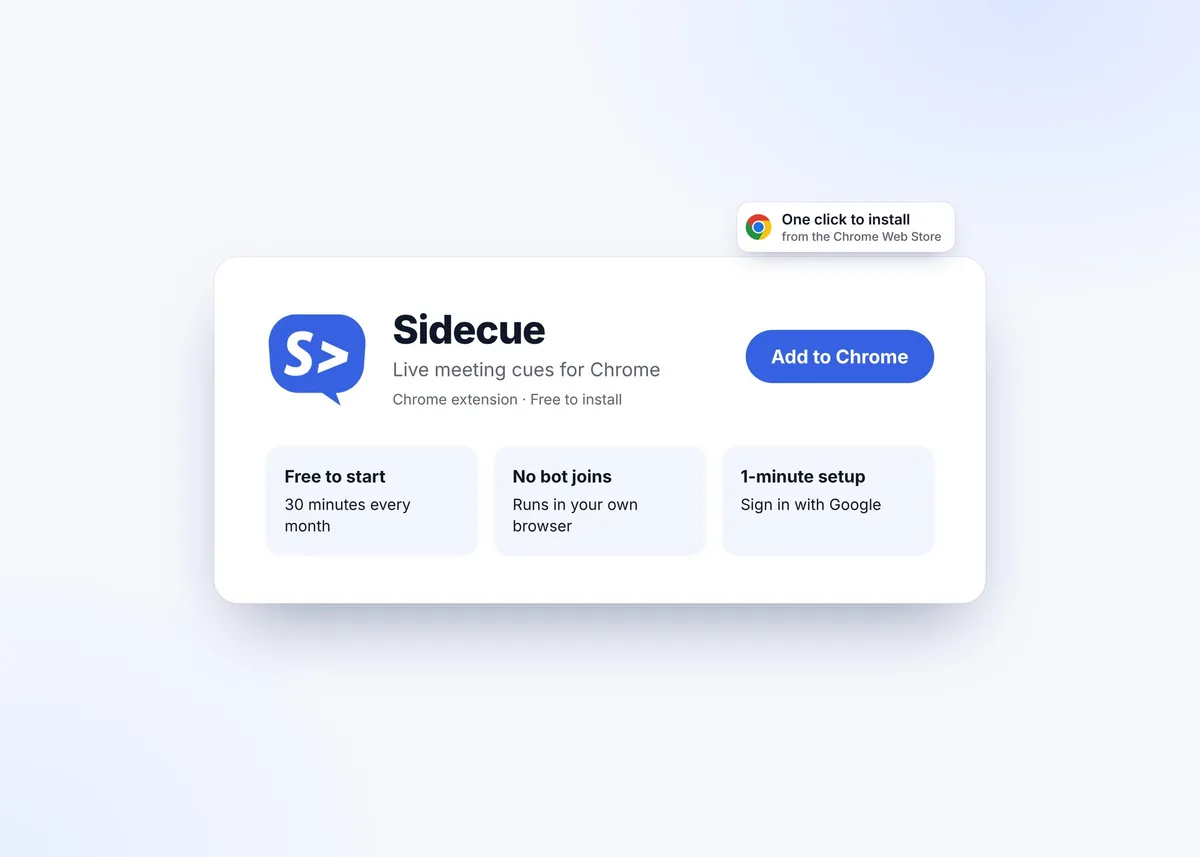
Add Sidecue to Chrome and get 30 free minutes every month. No credit card needed, and it takes a minute to set up.