
The best AI meeting assistants in 2026, compared
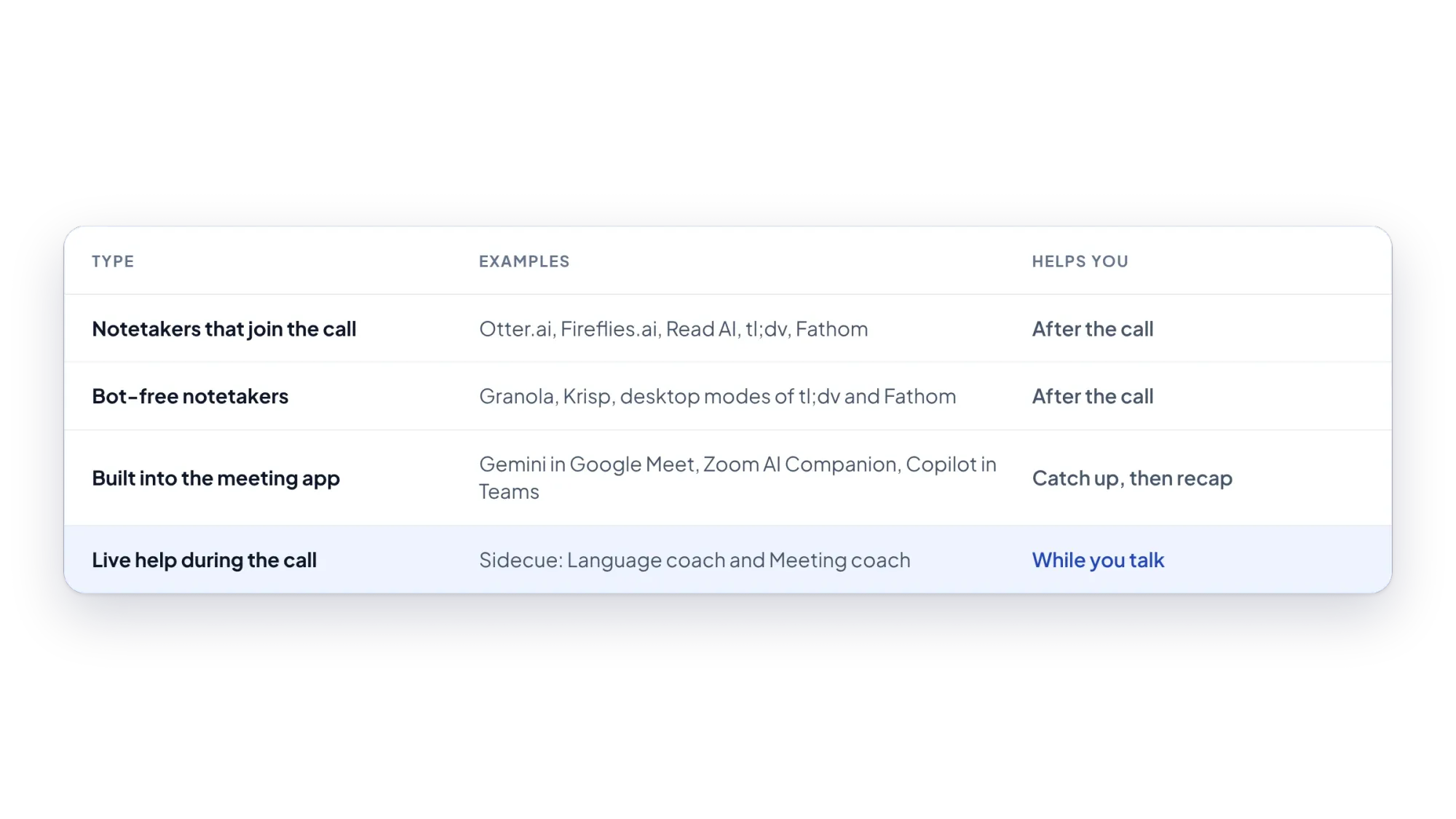
AI meeting assistants do very different jobs. Here they are in four groups: notetakers that join the call, bot-free notetakers, assistants built into Meet, Zoom and Teams, and live help during the call.

Michał Włosik
· 5 min read
“AI meeting assistant” now covers tools that do very different jobs. Some record the call and send notes afterwards. Some do the same without a bot. Some come built into Google Meet, Zoom and Teams. And a few help you while the meeting is still happening.
Instead of one long ranked list, this guide groups the best AI meeting assistants by the job they do. Pick the group that matches your problem first, then the tool.
AI meeting assistants at a glance
| Tool | Type | Bot in the call? | Helps you |
|---|---|---|---|
| Otter.ai | Notetaker | Yes | Live transcript, notes after |
| Fireflies.ai | Notetaker | Yes, or Chrome extension without a bot | Notes after |
| Read AI | Notetaker | Yes, plus desktop apps | Notes and reports after |
| Fathom | Notetaker | Bot, or bot-free (beta, Mac) | Notes after |
| Granola | Bot-free notetaker | No | Notes after |
| Krisp | Bot-free notetaker and audio | No | Clean audio during, notes after |
| Gemini in Google Meet | Built in | No | Catch-up summary, notes after |
| Zoom AI Companion | Built in | No | Catch-up questions, summary after |
| Copilot in Teams | Built in | No | Questions during, recap after |
| Sidecue | Live help | No | Cues and answers while you talk |
1. Notetakers that join the call
These send an assistant into your meeting that records, transcribes and summarises it. They're the best choice when you need a searchable record shared with your team.
- Otter.ai shows a live transcript, writes summaries and has an AI chat for your meetings. At the time of writing (October 2026), the free Basic plan includes 300 minutes a month, up to 30 minutes per conversation. Compare it with others in Otter.ai alternatives.
- Fireflies.ai joins from your calendar and focuses on team notes, search and integrations. See Fireflies.ai alternatives.
- Read AI produces transcripts and meeting reports. Its free plan covers 5 meetings a month.
- Fathom offers unlimited free recordings and transcriptions with AI summaries.
2. Bot-free notetakers
These capture audio on your own computer, so no extra participant appears in the call.
- Granola works on Mac and Windows. You write rough notes during the call; Granola fills them in afterwards.
- Krisp combines noise cancellation with transcripts, notes and action items, and offers real-time accent conversion.
- tl;dv and Fathom also have bot-free desktop options.
3. Assistants built into Meet, Zoom and Teams
If your company already pays for one platform, start here, since there's nothing new to install.
- Gemini in Google Meet can “take notes for me” and saves them to a Google Doc for the organiser. People who join late can get a summary so far. It needs an eligible Google Workspace edition or Google AI plan, and supports eight languages, one per meeting.
- Zoom AI Companion is included at no extra cost with paid Zoom accounts. It writes meeting summaries, and when the host allows it, you can privately ask what you missed during the meeting.
- Microsoft Copilot in Teams can answer questions during or after a meeting when live transcription is on. Its intelligent recap needs Teams Premium or a Copilot licence.
These are strong for catching up. They answer questions you ask them; they don't watch for questions aimed at you, or explain language as you hear it.
4. Live help during the call: Sidecue
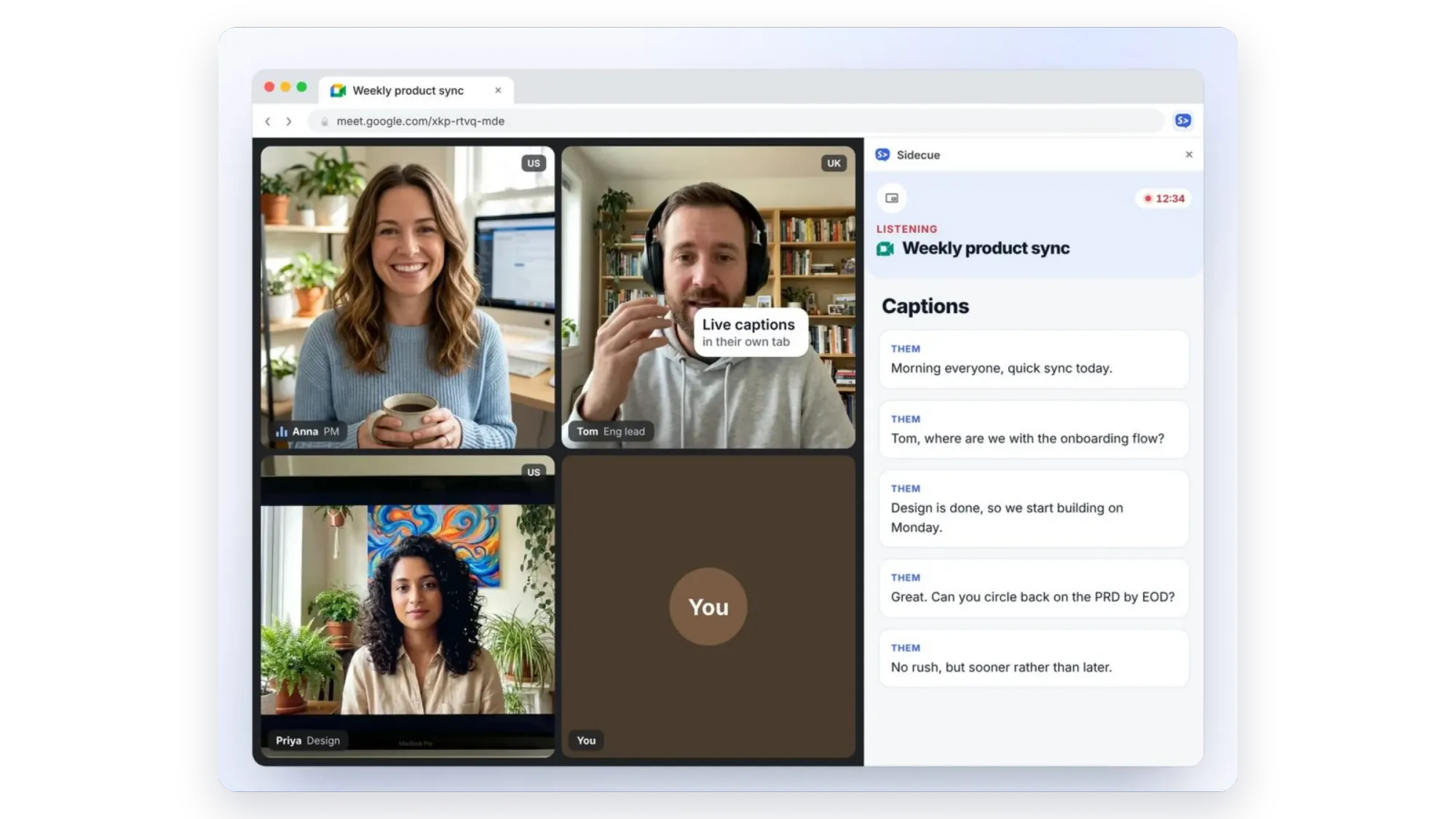
Sidecue is the one tool here built for the moment you're speaking. It's a Chrome extension: press Start on your meeting tab and it listens to that tab only, with no bot. A few seconds after people speak, it shows cues next to the call, or in a see-through overlay on top of it.
- Language coach is for meetings in your second language. It shows people's exact words, what they meant, idioms and jargon explained at your level (A2 to C2), and replies you could use. Explanations can be in more than 20 languages.
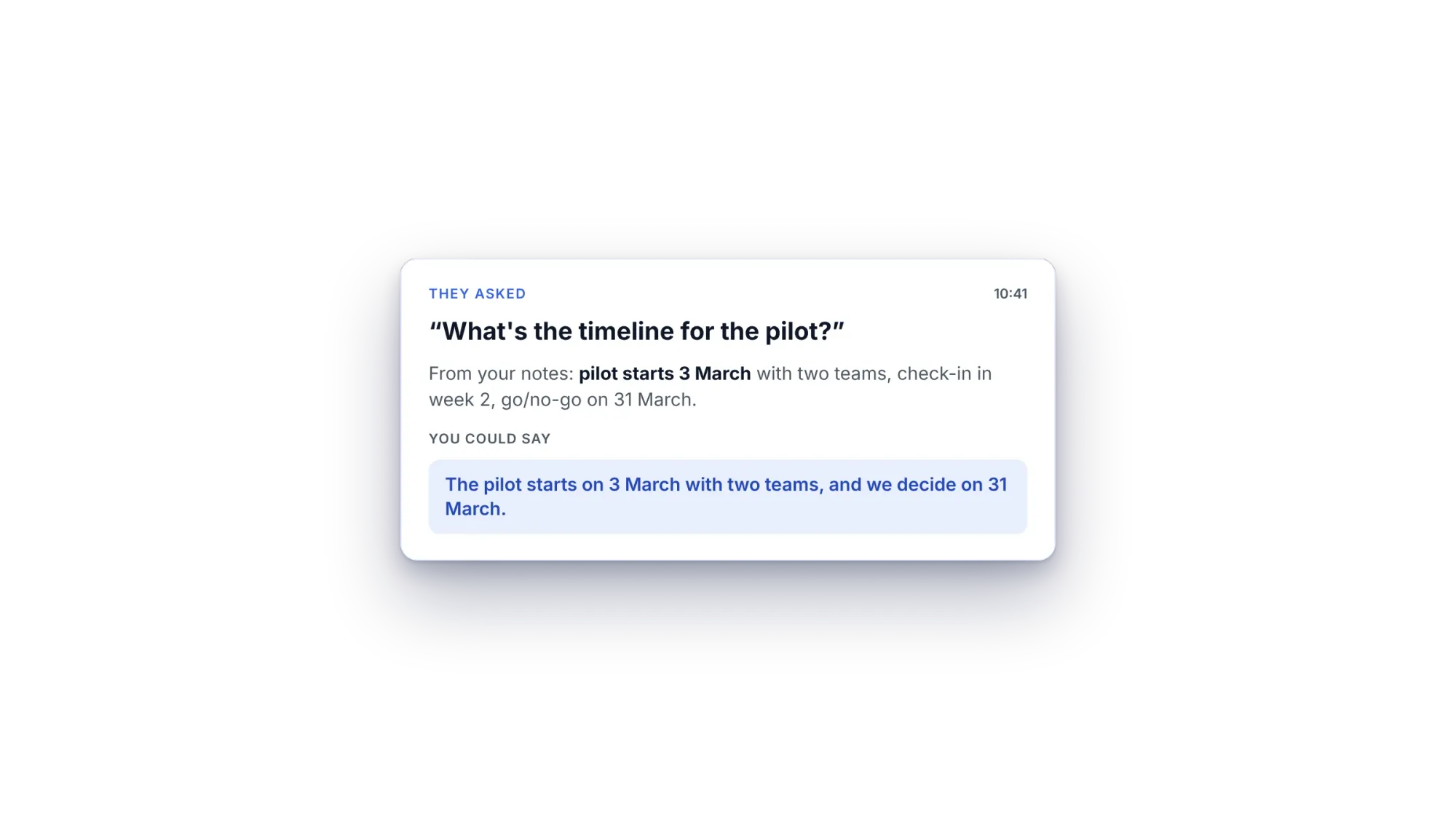
- Meeting coach is for calls where you need answers fast. It spots questions aimed at you and drafts a short answer from your notes, agenda and up to 5 files.
Sidecue also has a live Captions tab, so you can re-read what someone just said when they speak fast or the audio is poor.
Limits to know: Sidecue doesn't record or send summaries, and it needs Chrome, so Zoom and Teams calls run in the browser. Plans: Free with 30 minutes a month; Pro at $19 a month or $99 a year for 10 hours a month; Power at $29 a month for 25 hours. Paid plans start with a 7-day free trial.
How to choose the right AI meeting assistant
- When do you need help? After the call: a notetaker. During the call: Sidecue. Both: combine them.
- Is a bot acceptable? If not, use a bot-free tool or your platform's built-in assistant.
- What do you already pay for? Google Workspace, paid Zoom or Microsoft 365 may already include a capable assistant.
- Which language is the meeting in? If it isn't your first language, live explanations help more than a transcript.
Whatever you choose, good preparation makes every tool work better. Use our meeting preparation checklist, and brush up on common business idioms.
Try live help for free
Add Sidecue to Chrome and start with a practice call. The free plan includes 30 minutes a month.
Add Sidecue to Chrome for free
FAQ
What does an AI meeting assistant do?
Most record or transcribe a meeting and write a summary with action items. Some, like Sidecue, help during the meeting instead, by explaining what people mean or drafting answers to questions aimed at you.
Which AI meeting assistant works without a bot?
Sidecue, Granola and Krisp work without a bot, as do the built-in assistants in Google Meet, Zoom and Teams. tl;dv and Fathom offer bot-free desktop modes.
Is there a free AI meeting assistant?
Yes. Otter, Fireflies, Fathom, Read AI, Granola, tl;dv and Sidecue all have free plans, with different limits.
Can I use more than one?
Yes, and many people do: a notetaker for the record, and Sidecue for help in the moment.
Written by
Questions or thoughts? Share them below.
Keep reading
Fireflies.ai alternatives: which one fits how you meet?
Fireflies.ai is a strong team notetaker. Here are the alternatives worth a look, grouped by how you actually meet: with a bot, without one, or with live help during the call.
Otter.ai alternatives for live help during calls, not just notes
The main Otter.ai alternatives sorted by what they do: notes after the call, notes without a bot, or live help while you talk.