
Follow every word. Reply with confidence.
Language coach is for meetings in your second language. It shows exactly what was said, what people really meant, idioms and jargon explained at your level, and natural phrases you could say back.

Works with:




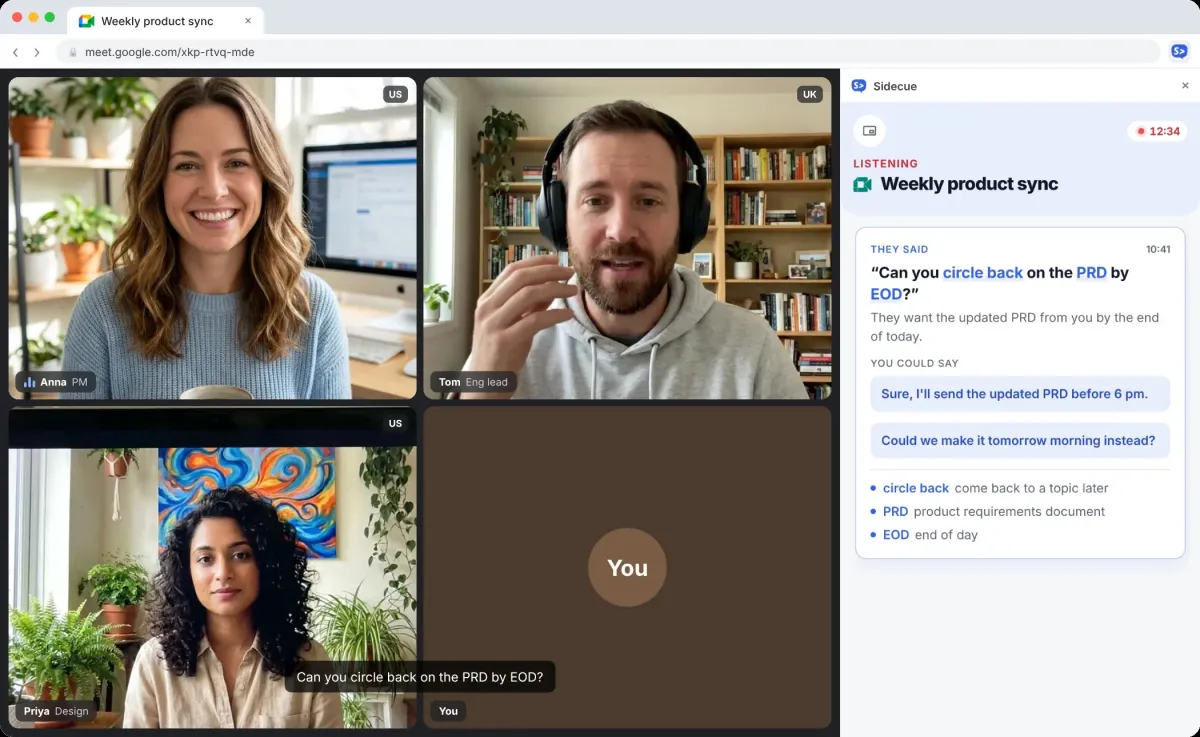
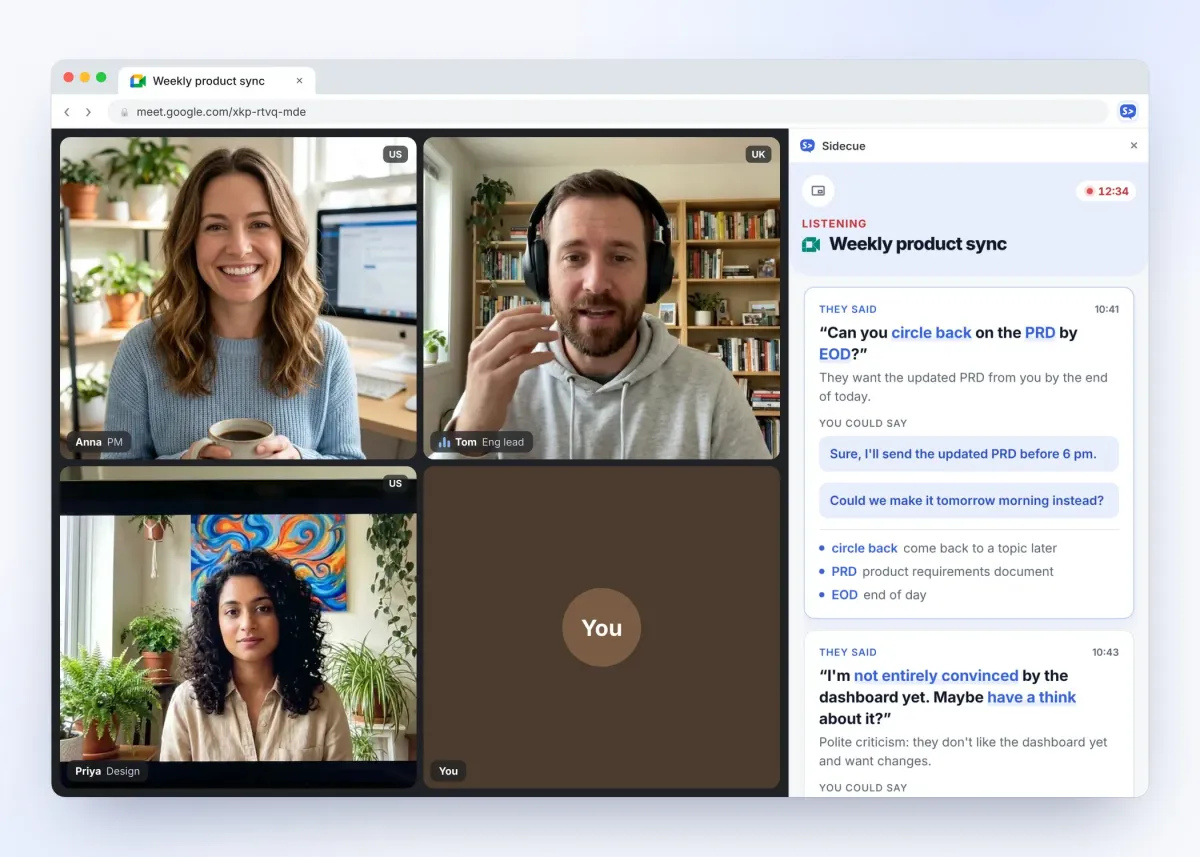
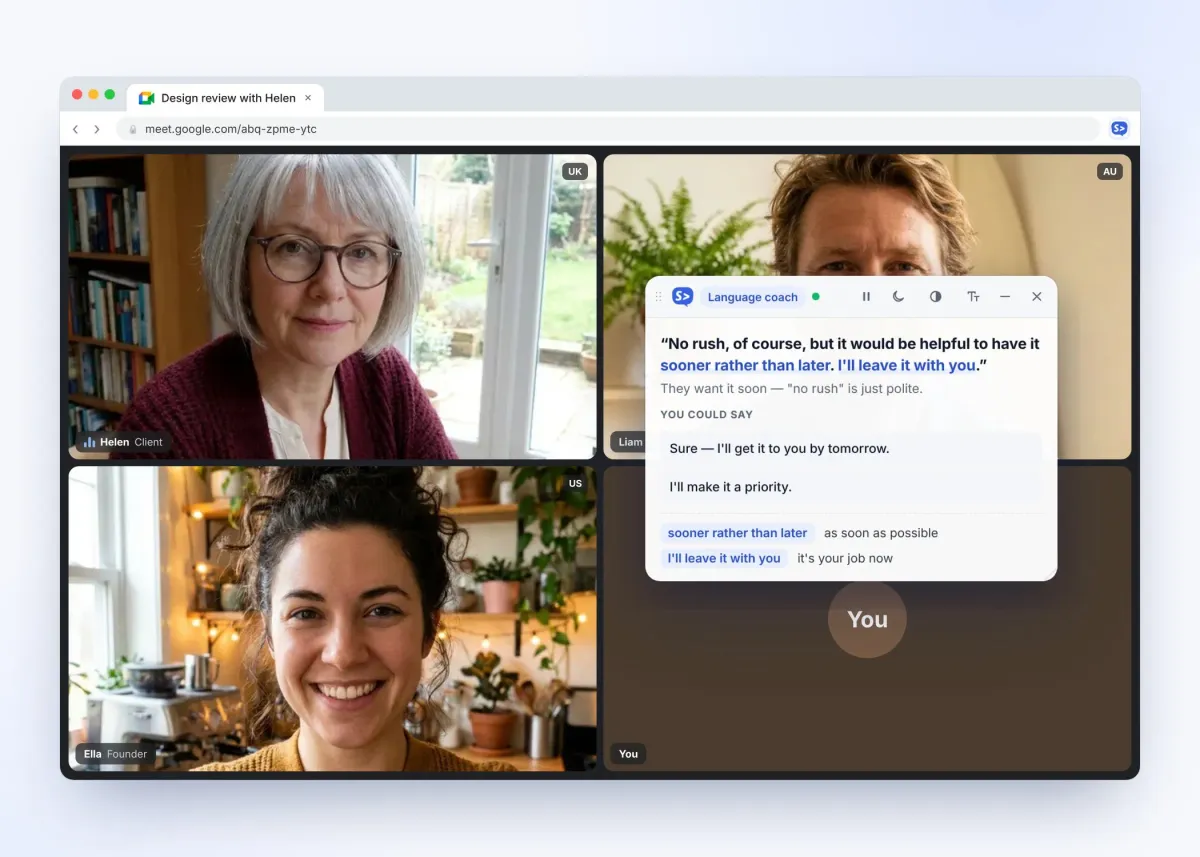
Read cues where it suits you
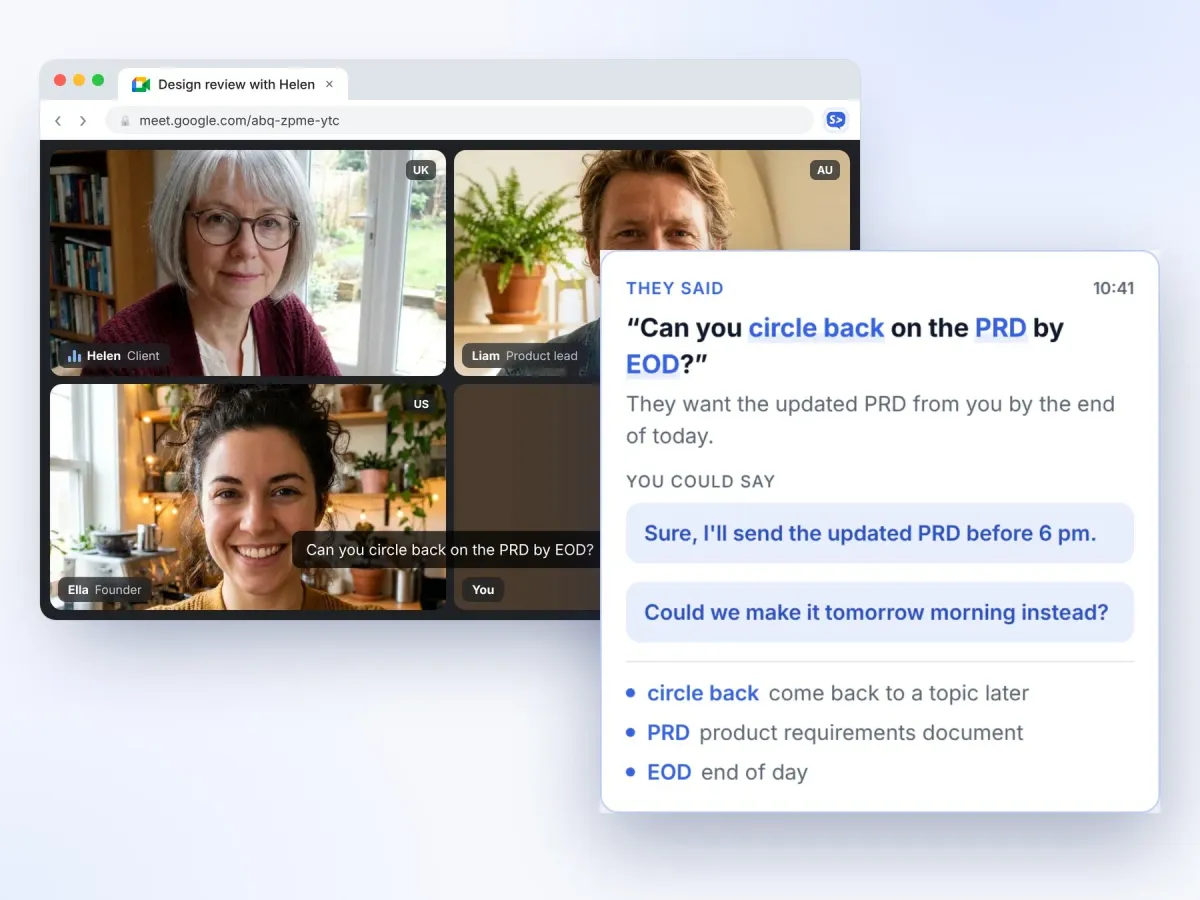
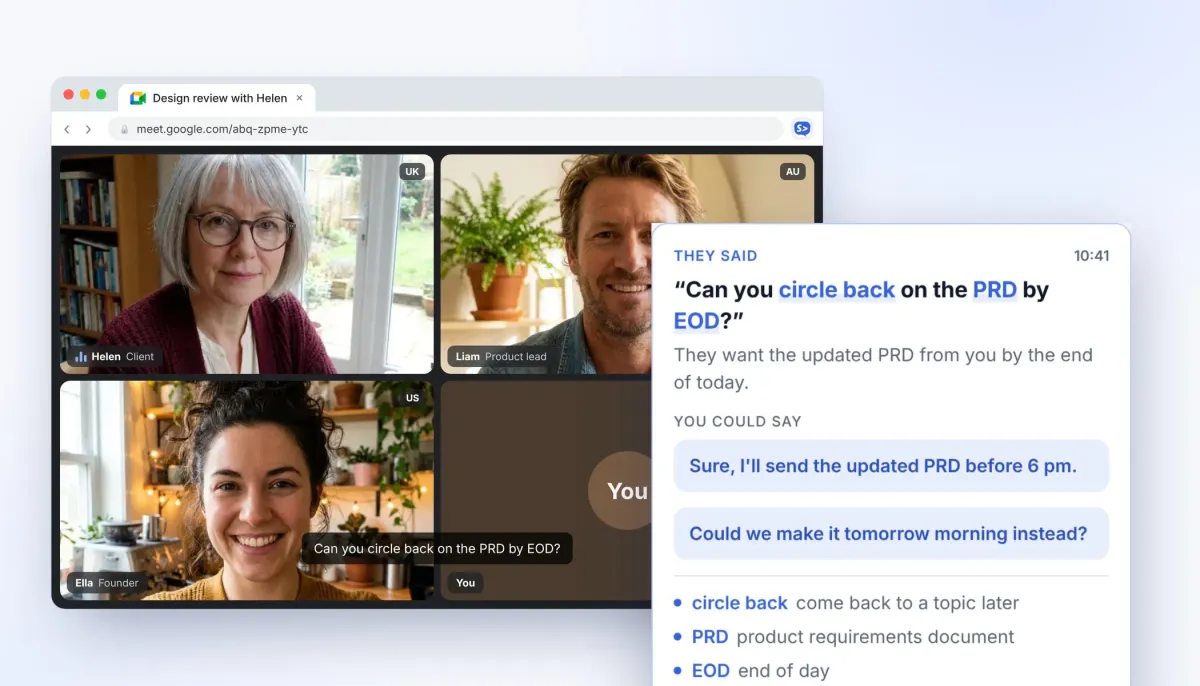
Every cue gives you the quote, its plain meaning, phrases to reply with and the tricky words explained.
Side panel
A calm feed next to your call. Scroll back through recent cues, open live captions in their own tab, and pause any time.
Overlay
A see-through card on top of the meeting, right where you're already looking. Drag it anywhere and keep eye contact.
How Language coach works
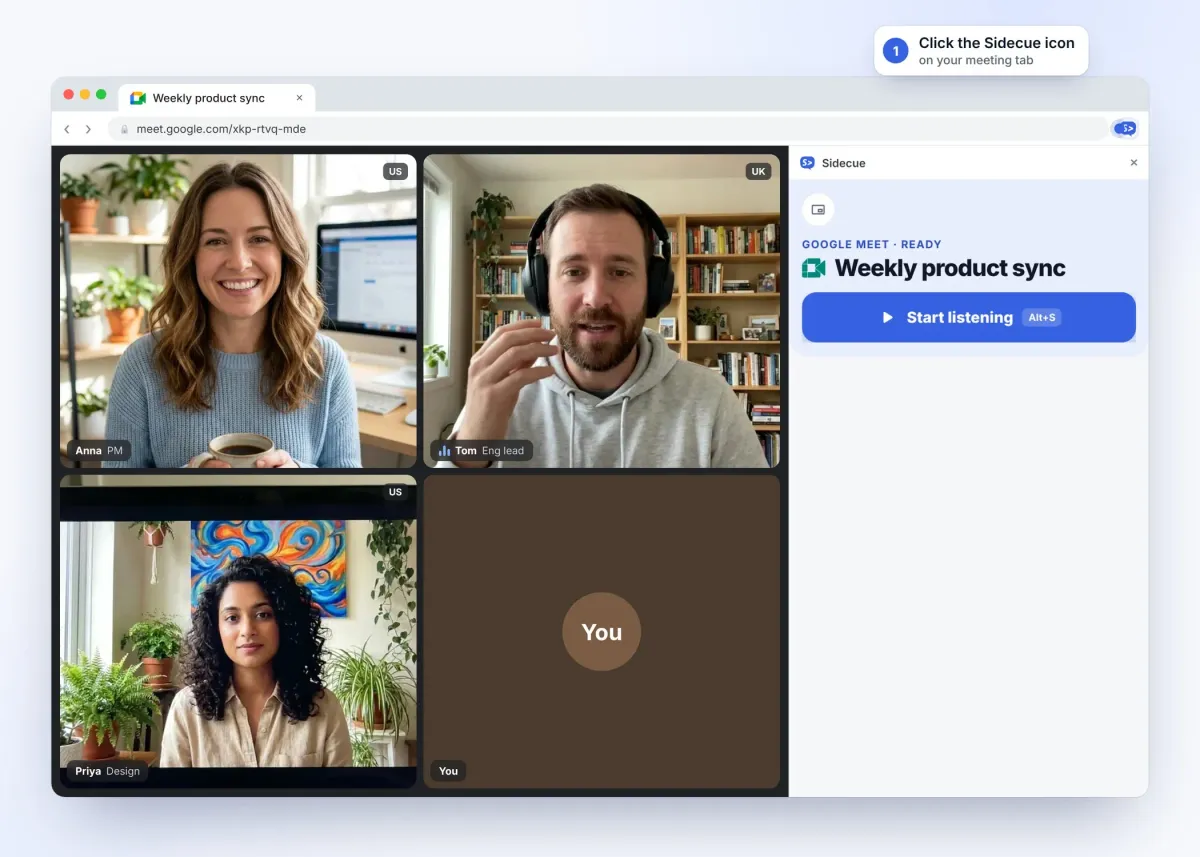
No bot joins your call. Set it up once, then just glance at the cues.
Get better with every meeting
Your free dashboard turns what you heard into vocabulary you keep.
Practise before the real call
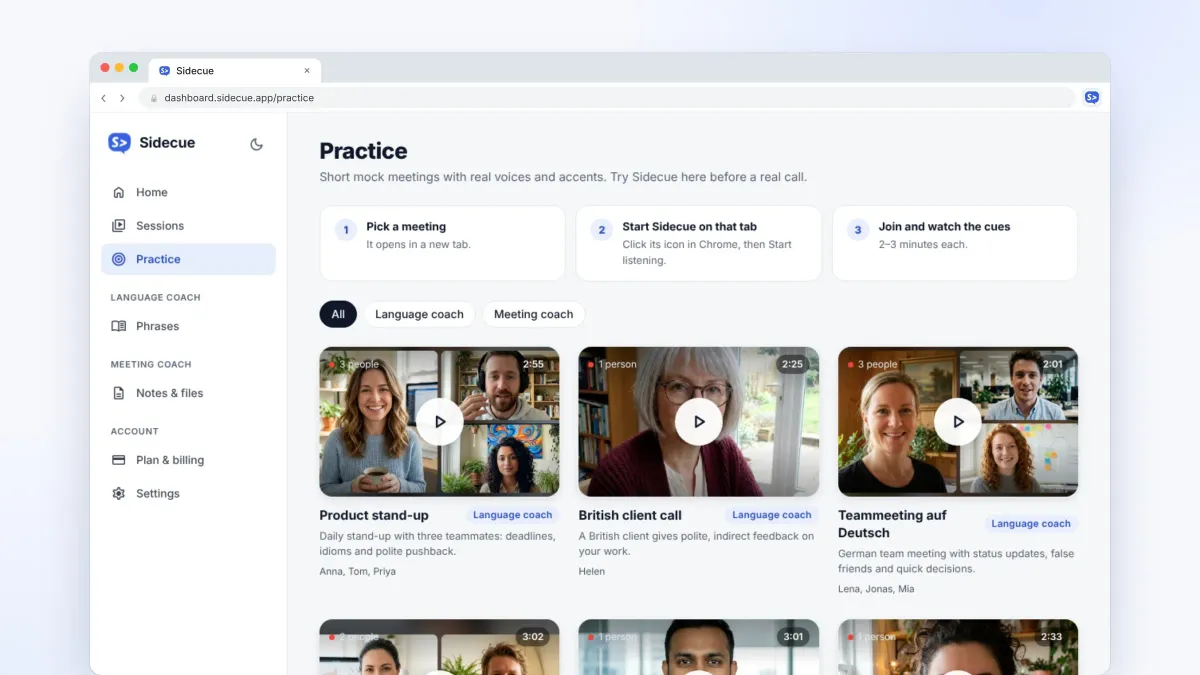
Join realistic mock meetings with real voices and accents: stand-ups, client calls, even a team meeting in German. Try Sidecue risk-free and get used to the pace.
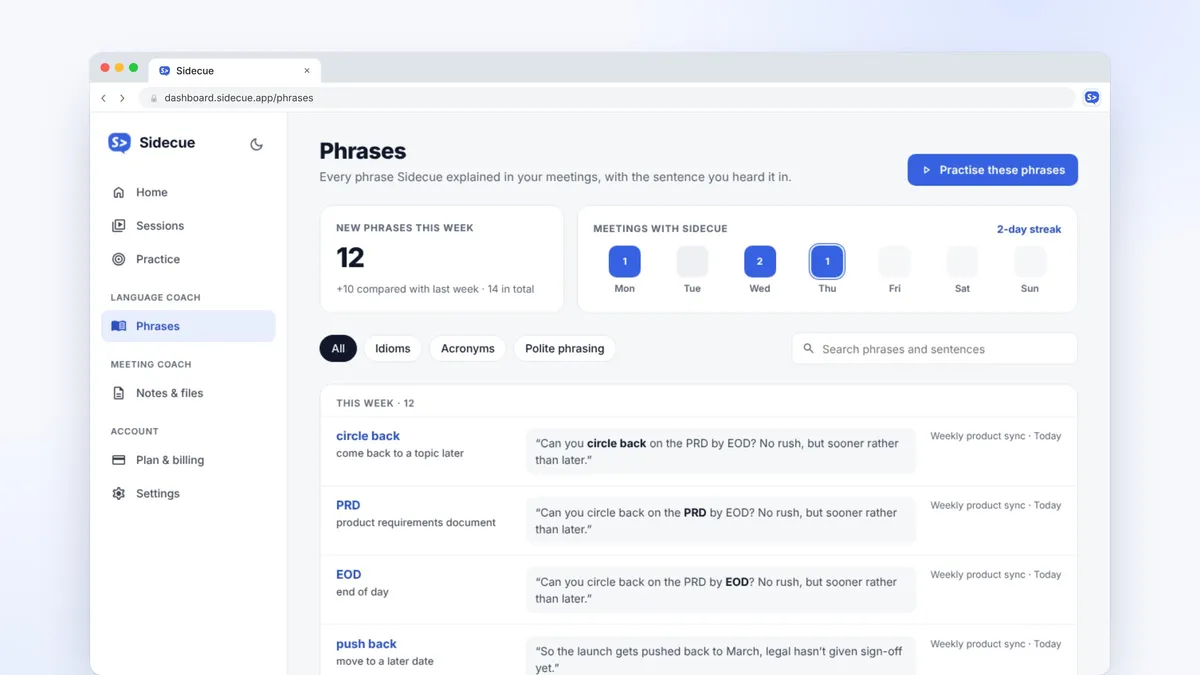
Every phrase, saved for later
Idioms, acronyms and polite phrasing from your meetings land in one list, with the sentence you heard them in. Review them and they stick.
Made for second-language speakers
Built around how people actually learn on the job.
26 meeting languages
English, Spanish, German, French, Polish and more. Follow a meeting in any of them.
Explained in your language
Meanings and definitions in the language you choose. Quotes and reply phrases stay in the meeting language.
Pitched at your level
From A2 to C2. Beginners get simpler words; advanced speakers get the subtle stuff, like tone and politeness.
Pricing
Start free. Upgrade when your calendar fills up.
Every plan includes both coaches and every feature. Pro and Power start with a 7-day free trial. Cancel anytime.
Free
Try Sidecue in a few real meetings.
Free foreverFree forever
Add to Chrome- 30 minutes a month
- Language coach and Meeting coach
- Practice calls and saved phrases
Pro
For daily stand-ups and client calls.
Billed monthlyBilled $99 yearly
Start 7-day free trial- 10 hours a month
- Everything in Free
- Priority processing
- Full session history
Power
For people in meetings most of the day.
Billed monthlyBilled $149 yearly
Start 7-day free trial- 25 hours a month
- Everything in Pro
- Priority at peak times
- Early access to new features
Questions, answered
Who is Language coach for?
Anyone who works in a language that isn't their first: international teams, expats, remote workers and people learning on the job.
Can I get explanations in my own language?
Yes. Pick an "Explain in" language in Settings. Meanings and word definitions use that language, while the quotes and reply phrases stay in the meeting language so you can say them.
Does it join or record my call?
No. There's no bot. Sidecue runs in your own Chrome and listens only to the tab you choose after you press Start. Audio isn't stored or used to train AI models.
Where do the phrases go?
Idioms and phrases from your cues are saved to Phrases in your dashboard, with the sentence you heard them in, so you can review them later.
Can I use it in job interviews or exams?
No. Sidecue is for everyday work meetings and learning. Using it in job interviews, exams, tests or assessments isn't allowed.
Can't find what you're looking for? Contact our customer support team
Walk into your next meeting ready
Add Sidecue to Chrome and get 30 free minutes every month. No credit card needed, and it takes a minute to set up.