
Fireflies.ai alternatives: which one fits how you meet?
Fireflies.ai is a strong team notetaker. Here are the alternatives worth a look, grouped by how you actually meet: with a bot, without one, or with live help during the call.

Michał Włosik
· 4 min read
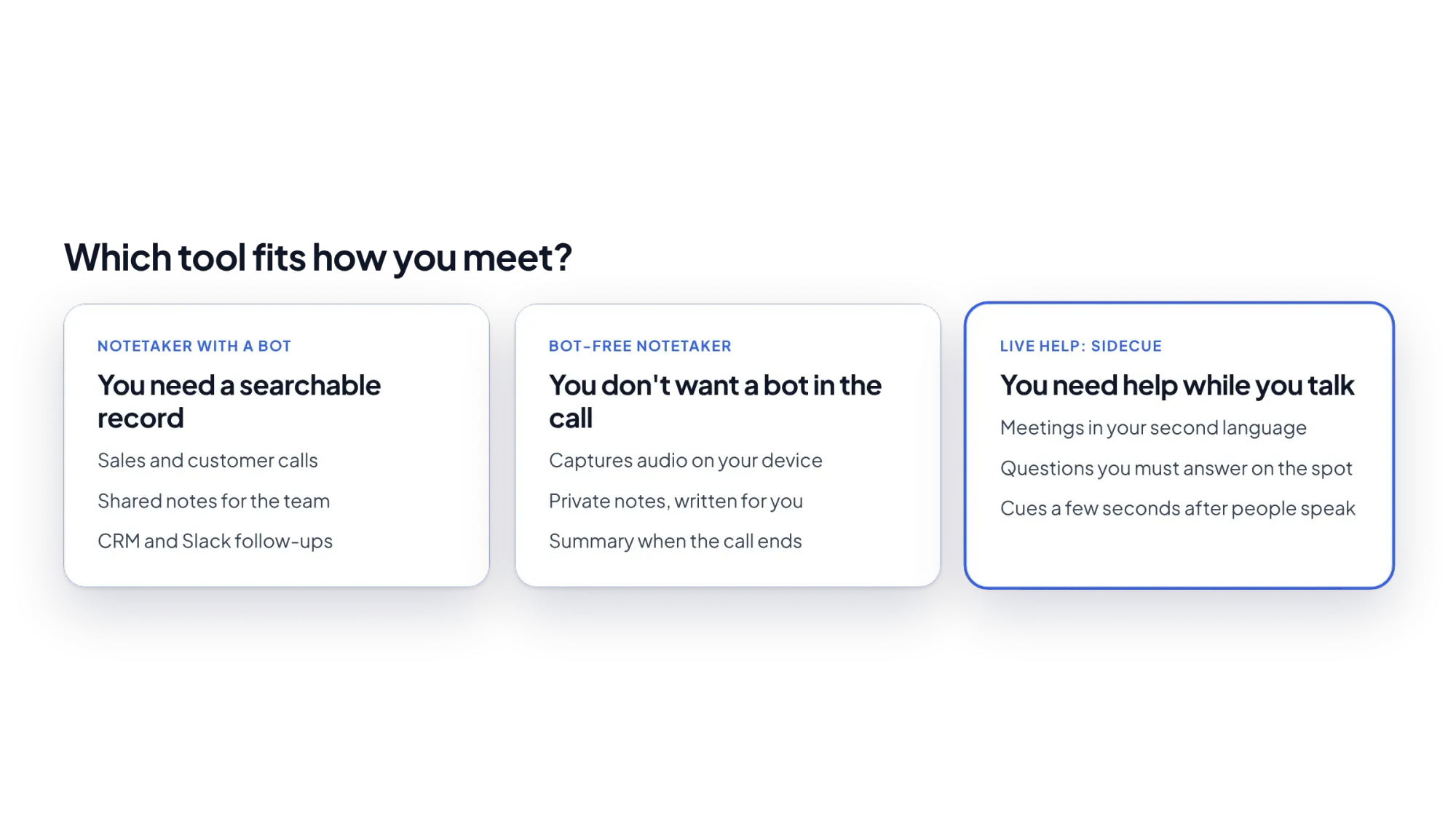
Fireflies.ai is a popular AI notetaker for teams. It transcribes your calls, writes summaries and sends notes to the tools you already use. But the right meeting tool depends on how you meet. Do you need a shared record? Do your clients mind a bot? Or is the hard part the call itself?
Start with that question, and the right Fireflies.ai alternative becomes much easier to pick.
What Fireflies.ai does
Fireflies can join your meetings from your calendar, transcribe them, write summaries and let you search across calls. It also has a Chrome extension that captures meetings without putting a bot in the call. At the time of writing (October 2026), Fireflies lists a free plan, Pro at $10 per user per month billed annually ($18 billed monthly), Business at $19 billed annually ($29 monthly) and Enterprise at $39 billed annually. According to Fireflies, the free plan includes live transcription, with storage shared across the team.
Fireflies.ai alternatives compared
| Tool | Bot in the call? | Free plan | Main strength |
|---|---|---|---|
| Otter.ai | Yes, joins meetings | 300 minutes a month, 30 minutes per conversation | Live transcript and AI chat |
| Fathom | Bot, or bot-free mode (beta, Mac) | Unlimited recordings and transcriptions | Free notes after every call |
| Read AI | Yes, plus desktop and mobile apps | 5 meeting transcripts and reports a month | Reports and search across meetings |
| Granola | No, uses your computer's audio | Yes; older notes need an upgrade | Private notes you shape yourself |
| tl;dv | Bot, or bot-free desktop app | Yes | Recordings and clips |
| Sidecue | No, Chrome extension | 30 minutes of live cues a month | Help during the call |
Free plan details are taken from each company's own pages at the time of writing and can change.
If you need a shared record of every call
Otter.ai
Otter is the closest match to Fireflies. It joins Zoom, Teams and Google Meet, shows a live transcript, and writes summaries with action items. Its free plan includes 300 minutes a month. We compare it in detail in Otter.ai alternatives.
Read AI
Read AI joins calls as an assistant and produces transcripts, reports and searchable notes. It also has Windows and Mac apps that record from your computer, and mobile apps for in-person meetings. Its free plan includes 5 meeting transcripts and 5 reports a month.
Fathom
Fathom's free plan is generous: unlimited recordings and transcriptions, with instant AI summaries. A good pick if you want free notes and don't need advanced team features.
If you don't want a bot in the call
Some clients are uneasy when an extra participant joins to record. These tools capture audio on your own device instead:
- Granola listens to your computer's audio on Mac and Windows, then turns your rough notes into clean notes and follow-ups.
- tl;dv has a desktop app that records from your device instead of sending its bot.
- Fathom offers a bot-free mode, in beta on Mac.
- Sidecue never uses a bot. It listens only to the meeting tab you choose, and only after you press Start.
If the hard part is the call itself
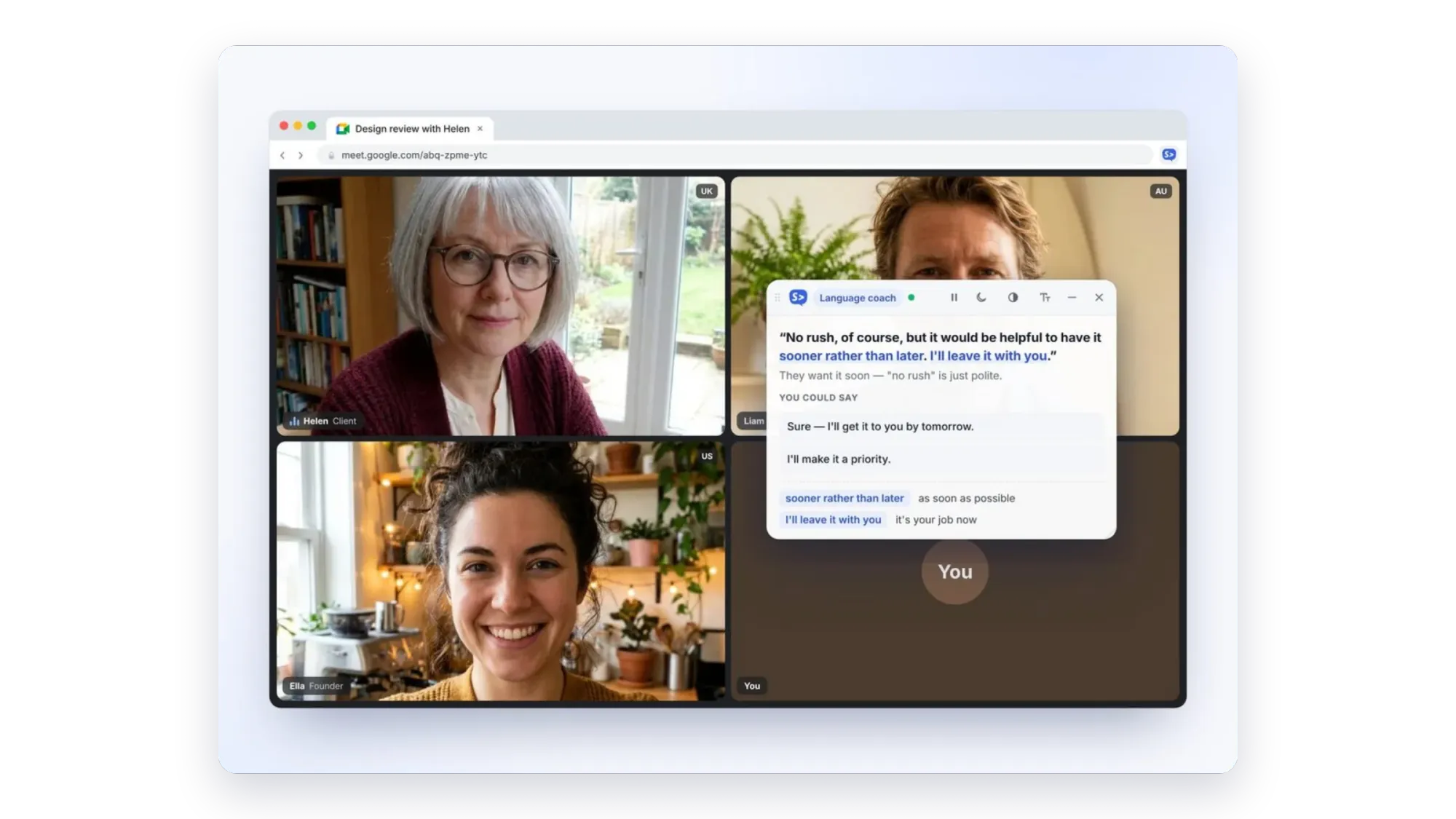
Notetakers are great for what happens after the call. They don't help when someone uses an idiom you don't know, speaks very fast, or asks you a question you need to answer right now. That's the gap Sidecue fills.
- Language coach explains what people mean a few seconds after they speak: their exact words, the meaning, idioms explained at your level, and natural replies. Explanations can be shown in more than 20 languages.
- Meeting coach notices questions aimed at you and drafts a short answer from your notes, agenda and up to 5 files you add before the call.
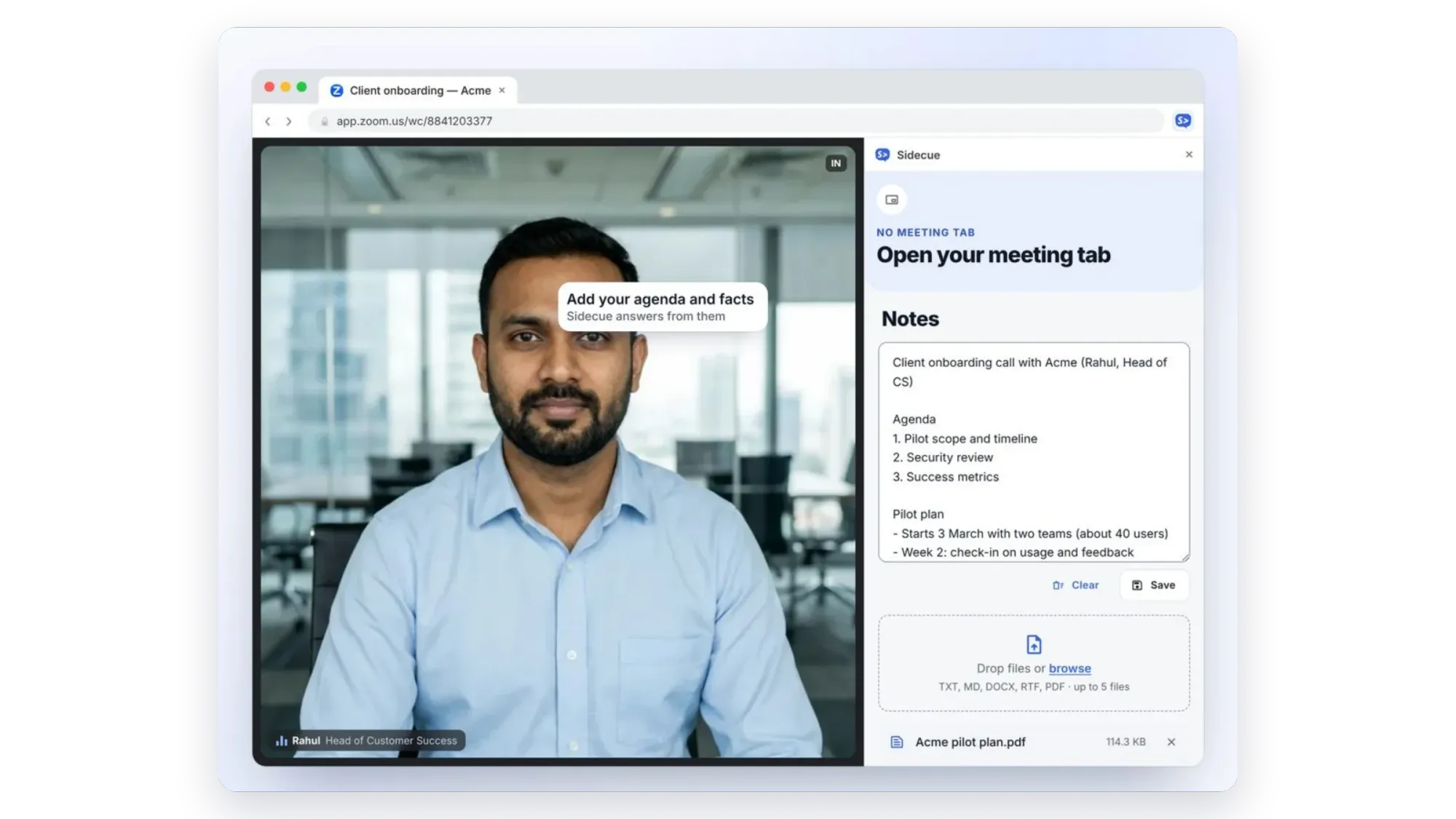
Sidecue doesn't record or summarise the meeting, so it works well alongside Fireflies or any other notetaker. It runs in Chrome with Google Meet, and with Zoom and Teams in the browser.
Plans: Free includes 30 minutes a month. Pro is $19 a month or $99 a year for 10 hours a month; Power is $29 a month for 25 hours. Paid plans start with a 7-day free trial.
Quick picks
- Closest like-for-like replacement: Otter.ai.
- Best free notes: Fathom.
- No bot, private notes: Granola.
- Help during meetings in your second language, or when you're put on the spot: Sidecue.
Preparing well still matters. Our meeting preparation checklist and guide to business idioms in meetings are good places to start. For a wider view, see the best AI meeting assistants in 2026.
Try Sidecue before your next meeting
Install the extension and run a practice call to see live cues before the real thing.
Add Sidecue to Chrome for free
FAQ
What is the best free alternative to Fireflies.ai?
For free notes after each call, Fathom's free plan is the most generous of the tools here. For free help during calls, Sidecue's free plan includes 30 minutes of live cues a month.
Can I use Sidecue and Fireflies together?
Yes. They do different jobs: Fireflies writes notes after the call, Sidecue helps you while it's happening.
Does Sidecue work in the Zoom or Teams desktop app?
No. Sidecue runs in Chrome, so join Zoom or Teams from your browser. Google Meet already runs in the browser.
Written by
Questions or thoughts? Share them below.
Keep reading
The best AI meeting assistants in 2026, compared
AI meeting assistants do very different jobs. Here they are in four groups: notetakers that join the call, bot-free notetakers, assistants built into Meet, Zoom and Teams, and live help during the call.
Otter.ai alternatives for live help during calls, not just notes
The main Otter.ai alternatives sorted by what they do: notes after the call, notes without a bot, or live help while you talk.